 Larovi
On this page
How do we keep track of everyone’s events as a family?
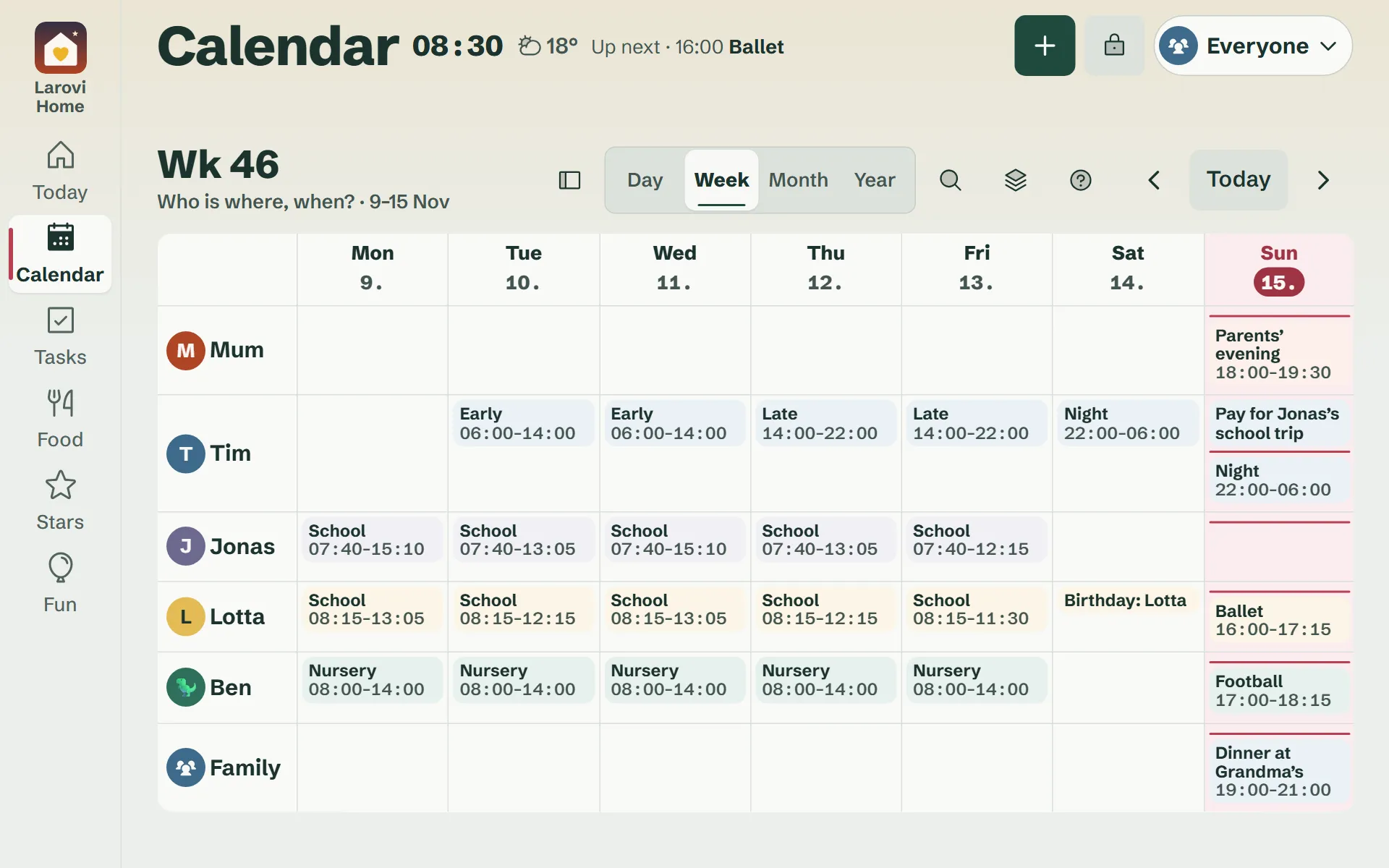
Every event belongs to one person or to everyone and shows in their colour. Choose a person at the top and the calendar shows only their events – or “Everyone”.
Day, week by person, month and year. Events over several days, all day or with a start and end, with a place and “Directions” to Google Maps. The event says who drives and what to bring.
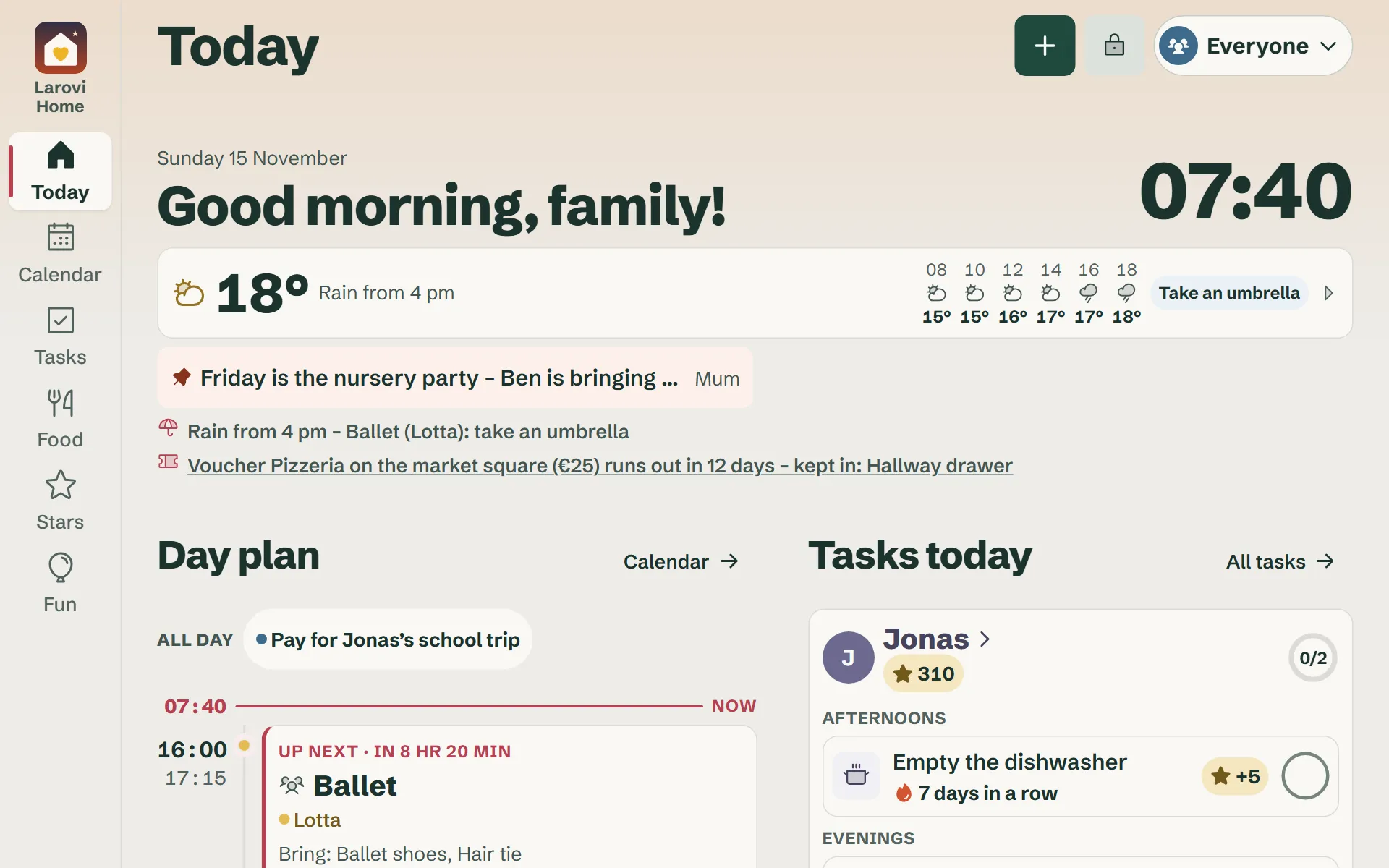
In the day plan you see how much time is free between events, and the subjects at school. If two events are at the same time, Larovi Home tells you.
Is there a quicker way to add events?
Yes, with the AI helper “Just say it”. Say or type “Lotta has the dentist on Tuesday at 3 pm” – or take a photo of the paper calendar in the kitchen, and all the events come in one go. A whole month moves across with one photo.
First you see everything as a list and can check and adjust each suggestion. Whatever is already in the calendar, the helper recognises and leaves unticked – so nothing is added twice. Nothing is saved until you tap “Add”.
Just say it Speak, type or take a photo of the paper calendar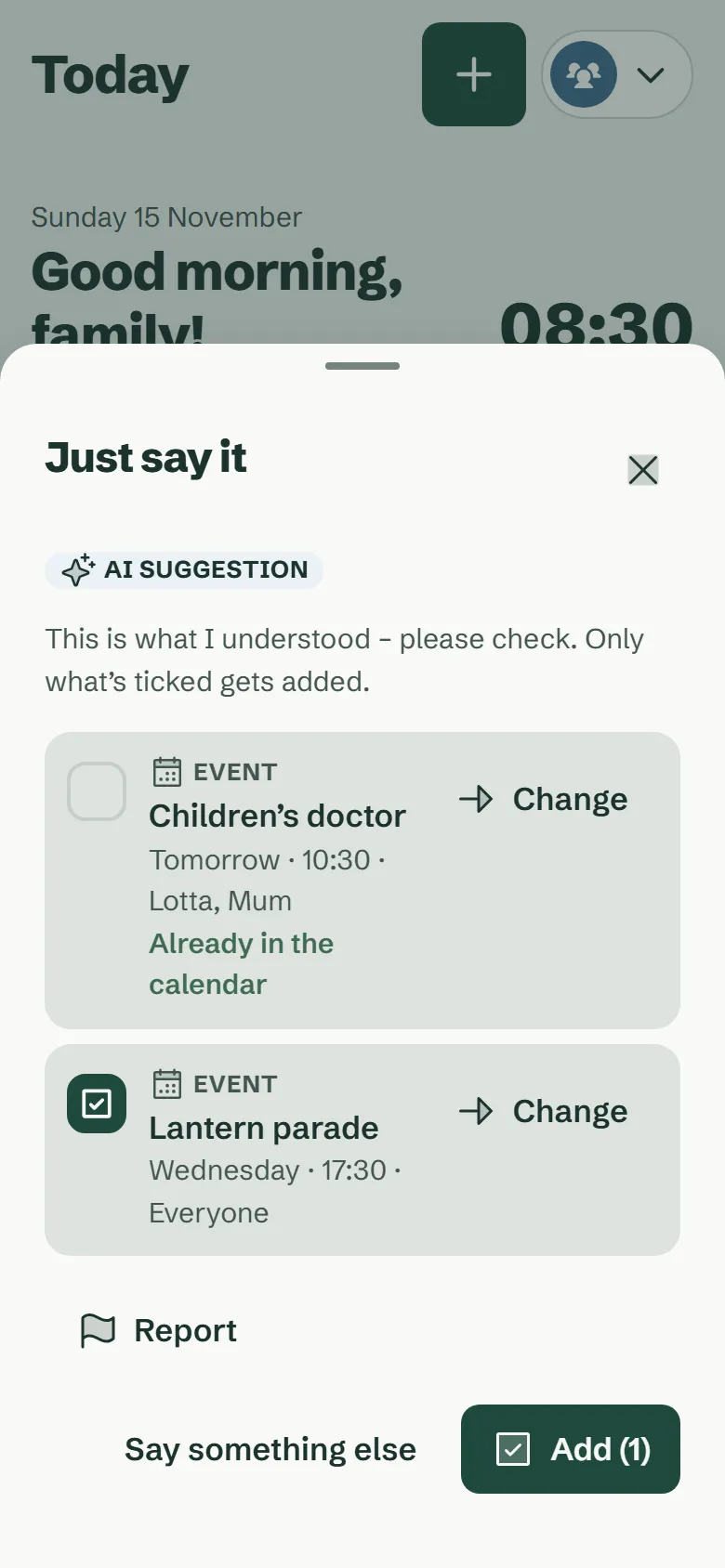
Are there repeating events – and do they pause in the holidays?
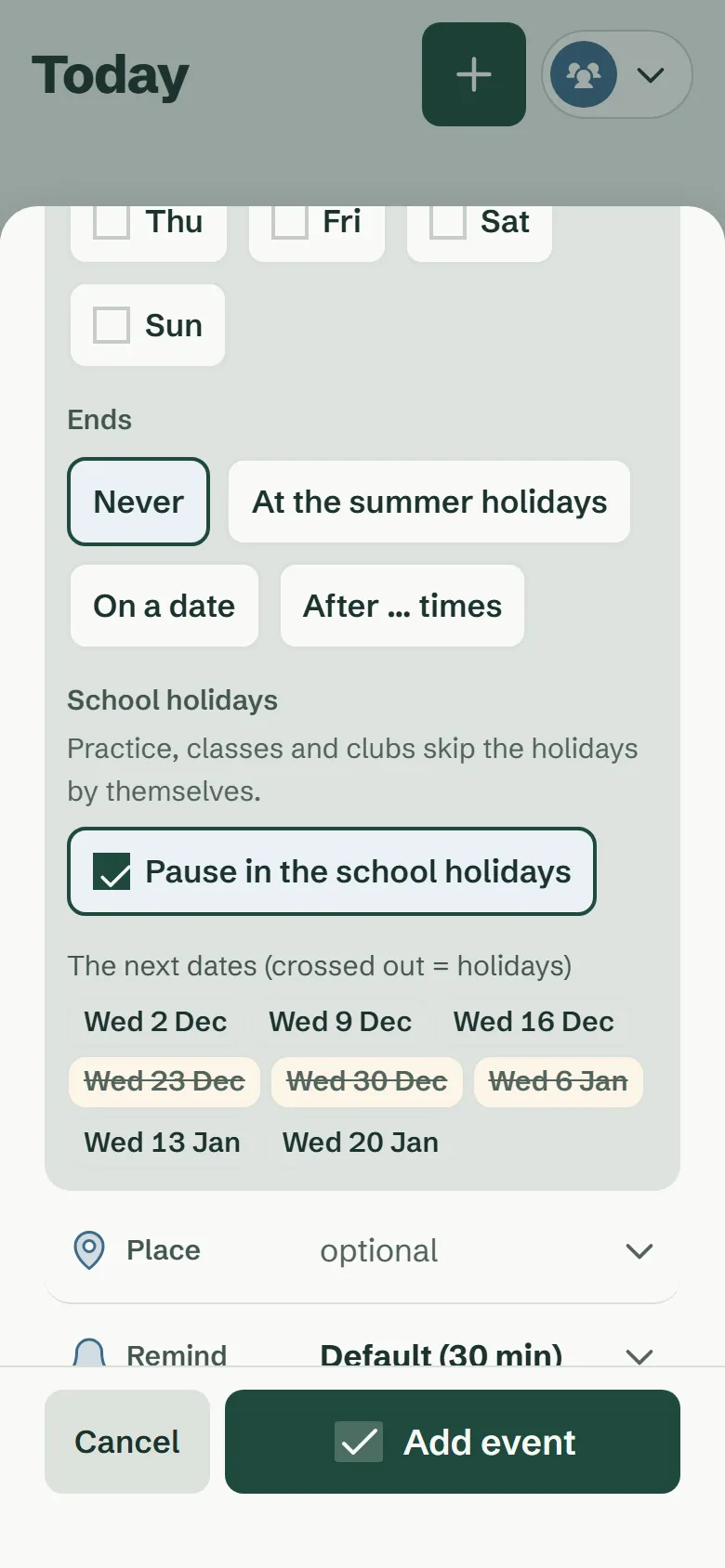
Yes. Events repeat daily, on weekdays, weekly, monthly – “every 3rd Monday”, say – or yearly. Tick “Pause in the school holidays”, and training or music lessons drop out in the holidays by themselves.
Below the event you see the next dates, with the holidays already left out. Change just this one, from here on or all of them.
Can we add a shift plan to the family calendar?
Yes. You set up the rhythm once – 2 early · 2 late · 2 night · 3 off, say – and the calendar fills in every shift. The whole family sees them, on the wall too.
Swapped a shift, off sick or on holiday? Change a single day, and the rhythm simply carries on.
Shift plan for the family Set up a rhythm, swap shifts, mark days off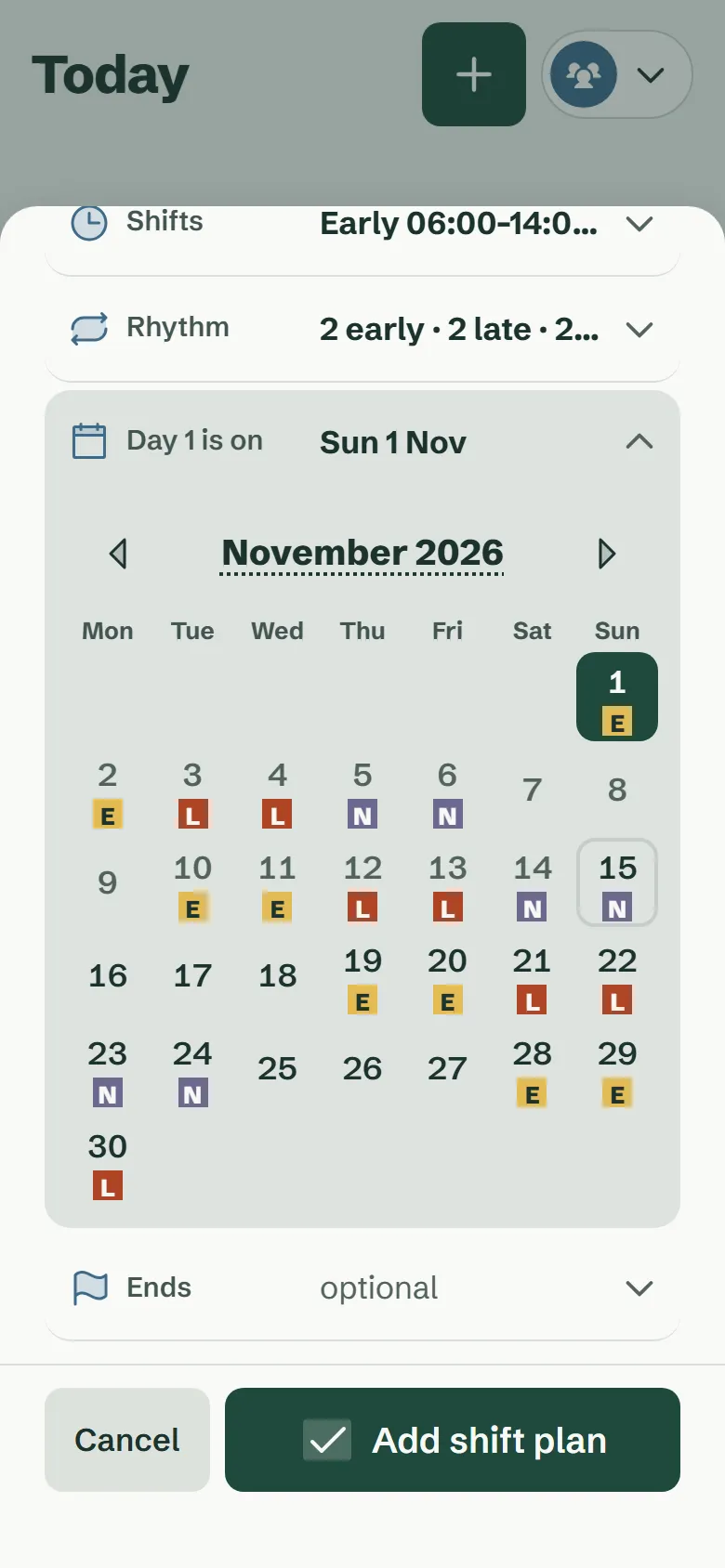
Does the calendar know school holidays and timetables?
Yes. The school and public holidays of your German state are already in. Every school kid gets a timetable, and training or music lessons pause in the holidays by themselves.
Simply take a photo of the timetable – done. The AI helper adds every lesson.
Timetables and school holidays A timetable per kid, holidays for all 16 German states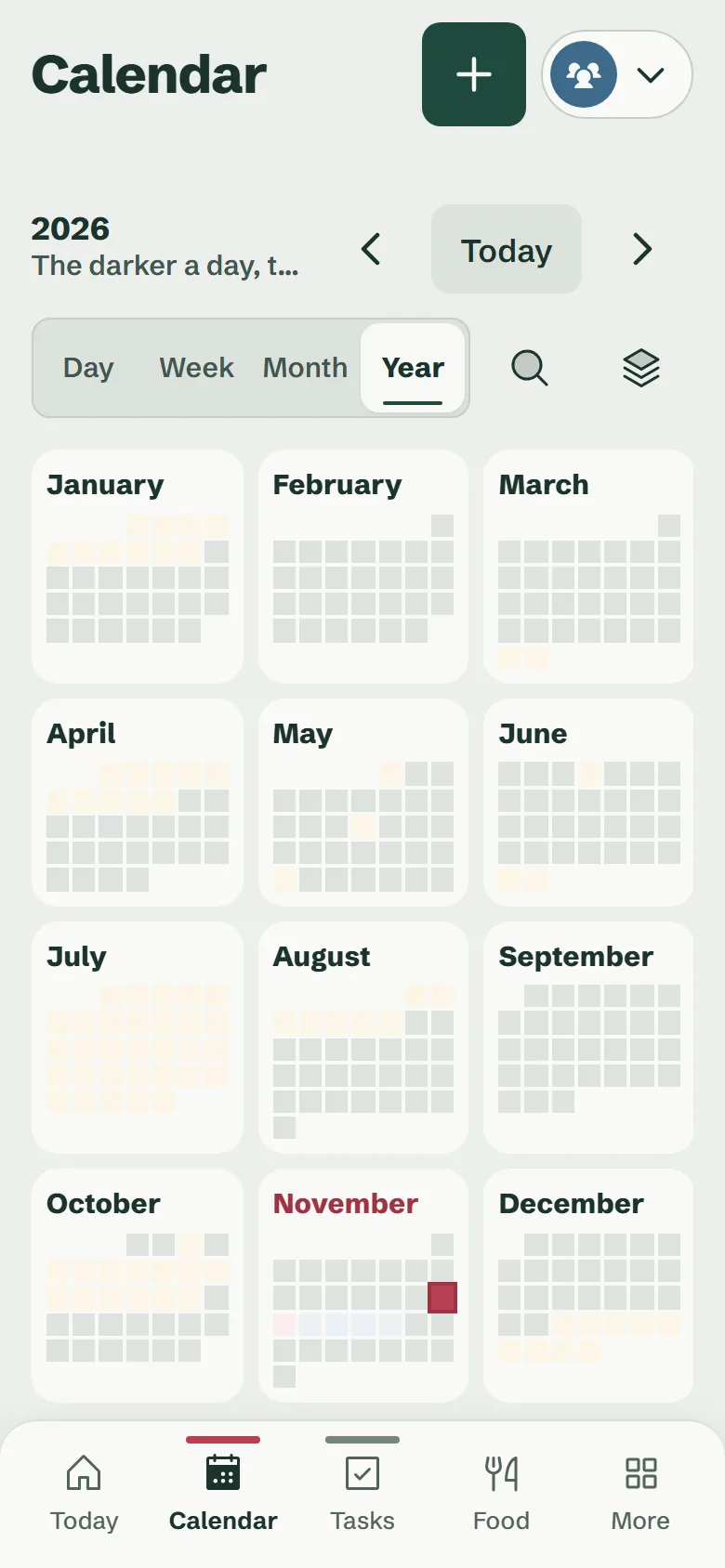
Does bin collection go into the calendar too?
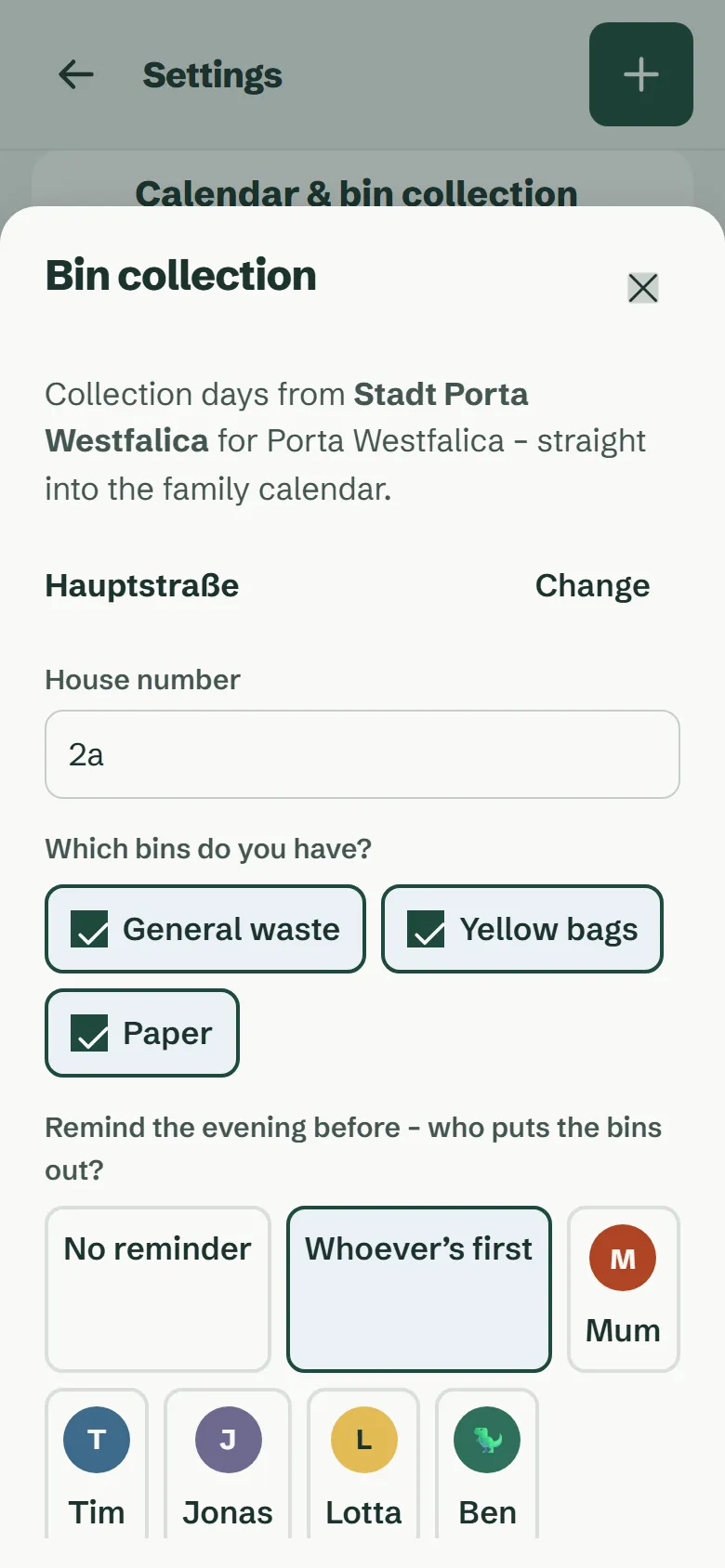
Yes. Enter your town, street and house number and choose your bins. The collection dates then sit in the family calendar, and the app reminds you the evening before.
For over 4,000 towns in Germany, Larovi Home fetches the dates straight from the waste company. If yours offers a calendar link, that works too.
If you like, the app adds a task by itself the evening before every collection – “Put the yellow bin out”, say – for the kid of your choice, with stars. That way the kids happily take the bin out.
Can we keep our Google, Outlook or Apple calendar – or replace it?
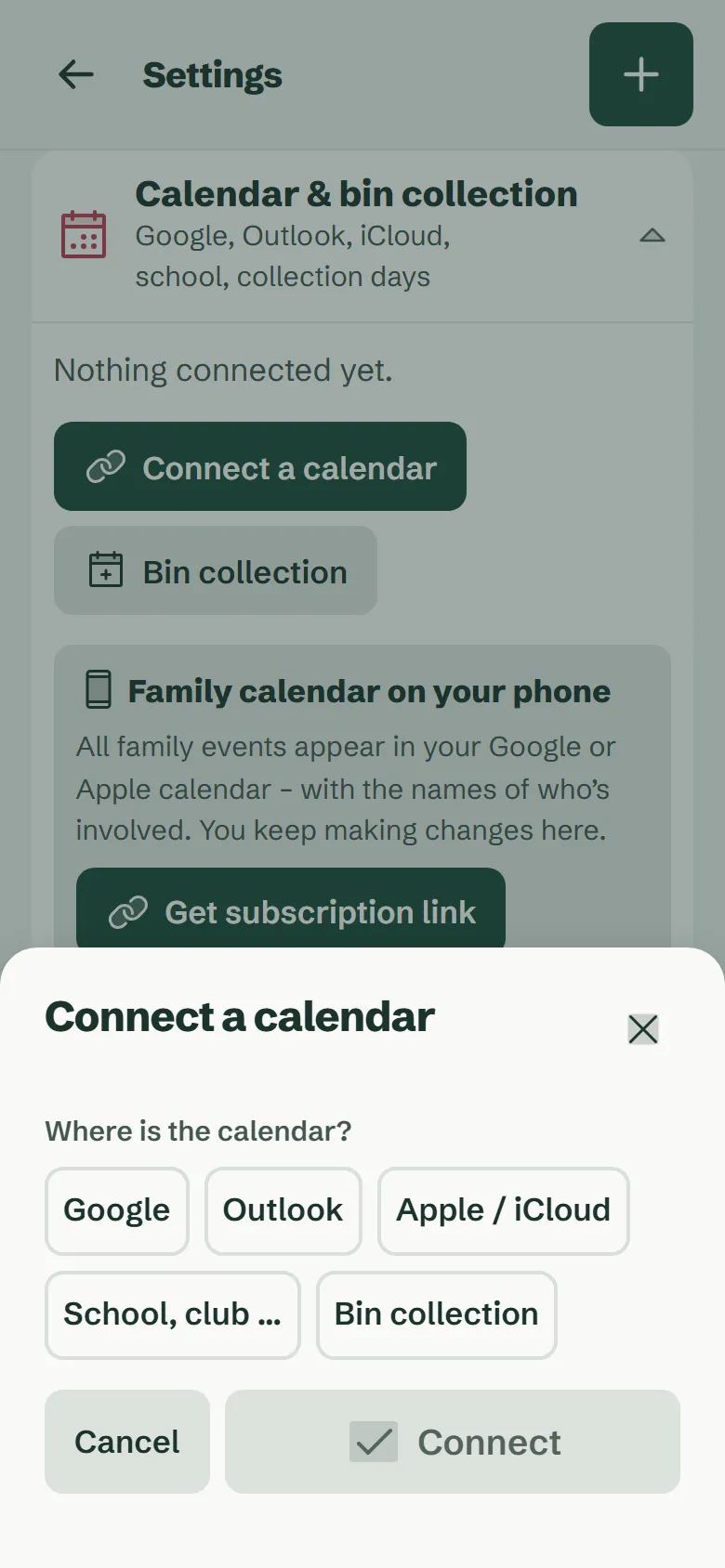
Both. Bring in your calendars and those of school, nursery and club by link, and their events appear by themselves. If you like, use Larovi Home as your calendar app on the phone altogether – on your own too.
The other way round, subscribe to the family calendar in Google or Apple, and the family events sit next to your work ones. Up to three connected calendars are free, as many as you like with Larovi Plus.
Not possible yet: changing connected events in Larovi Home and writing them back to Google or Outlook. That is planned for later.
Connected events also show their description and their link, which you can tap. Search finds words from the description too.
And on the wall?
A tablet you already own shows the calendar big enough for everyone: today, the week by person, and a big reminder 15 minutes before an event.
Larovi Home and Google Calendar – what’s different?
Google Calendar is a good calendar for individuals and teams. For families a few things are missing that Larovi Home brings along. A factual comparison:
| Larovi Home | Google Calendar | |
|---|---|---|
| Shared family calendar | yes | yes, in the Google family group |
| Kids without their own account or phone | yes, as a profile and on the wall | no, every member needs a Google account |
| School holidays per German state | built in | not built in |
| Repeats pause in the holidays | yes | no |
| Shift rhythm like 2 · 2 · 2 · 3 | yes | not as a rhythm |
| Bin collection by address | yes | no |
| Tablet as a family wall display | yes | no |
| Write events back to Google | not yet | – |
As of October 2026. Details on Google Calendar from publicly available information; Google is a trademark of Google LLC.
Questions about the calendar
How often are connected calendars updated?
Several times a day, at the latest after six hours. Your own events in Larovi Home are on all devices straight away.
Answer on its own pageCan Grandma and Grandad see the events?
Yes, for free: give them the family calendar’s subscription link and they see the events in their own calendar. They cannot change anything there.
Answer on its own pageAre events synced back to Google?
Not yet. So far Larovi Home only reads your calendars. Two-way sync is on our list, but there is no date for it yet.
Answer on its own pageCan I use Larovi Home on my own as a calendar app?
Yes. The calendar works for one person too, free and without ads. Bring in your Google, Outlook or Apple events by link. If your family joins later, simply invite them.
Answer on its own pageFor which towns does Larovi Home know the bin collection?
For over 4,000 towns in Germany, Larovi Home fetches the collection dates straight from the waste company – you enter town, street and house number. If your town is missing, use your waste company’s calendar link.
Answer on its own page