 Larovi
On this page
What can I take photos of?
Almost anything that reaches you on paper. The helper reads events, timetables, vouchers, day-out ideas and wishes from the photo and shows them to you to check.
A new timetable
After the holidays, take a photo of the timetable. Larovi Home adds start, end and subjects for every school day.
Photo of the timetable · “This is Lotta’s new timetable.”
The monthly calendar from the wall
Take a photo of the paper calendar in the kitchen and bring in all events in one go. The helper spots what is already there.
Photo of the October page
School letters and invitations
The note from school or the invitation to a birthday party becomes an event, with what to bring.
Photo of the invitation · “Ben is invited.”
Voucher
The helper reads the value, expiry date and code by itself. You only say where it is kept.
Photo of the voucher · “it’s in the hall drawer”
Day-out ideas and wishes
The climbing park flyer as a day-out idea, the toy from the catalogue on the wish list.
Photo of the flyer · “idea for the autumn half-term”
Tasks for the kids
Said is done: “Jonas takes the bins out on Saturdays, 5 stars.” That becomes a task with a rhythm and stars.
“Lotta lays the table every evening, 2 stars.”
How do events get from the paper calendar into the app?
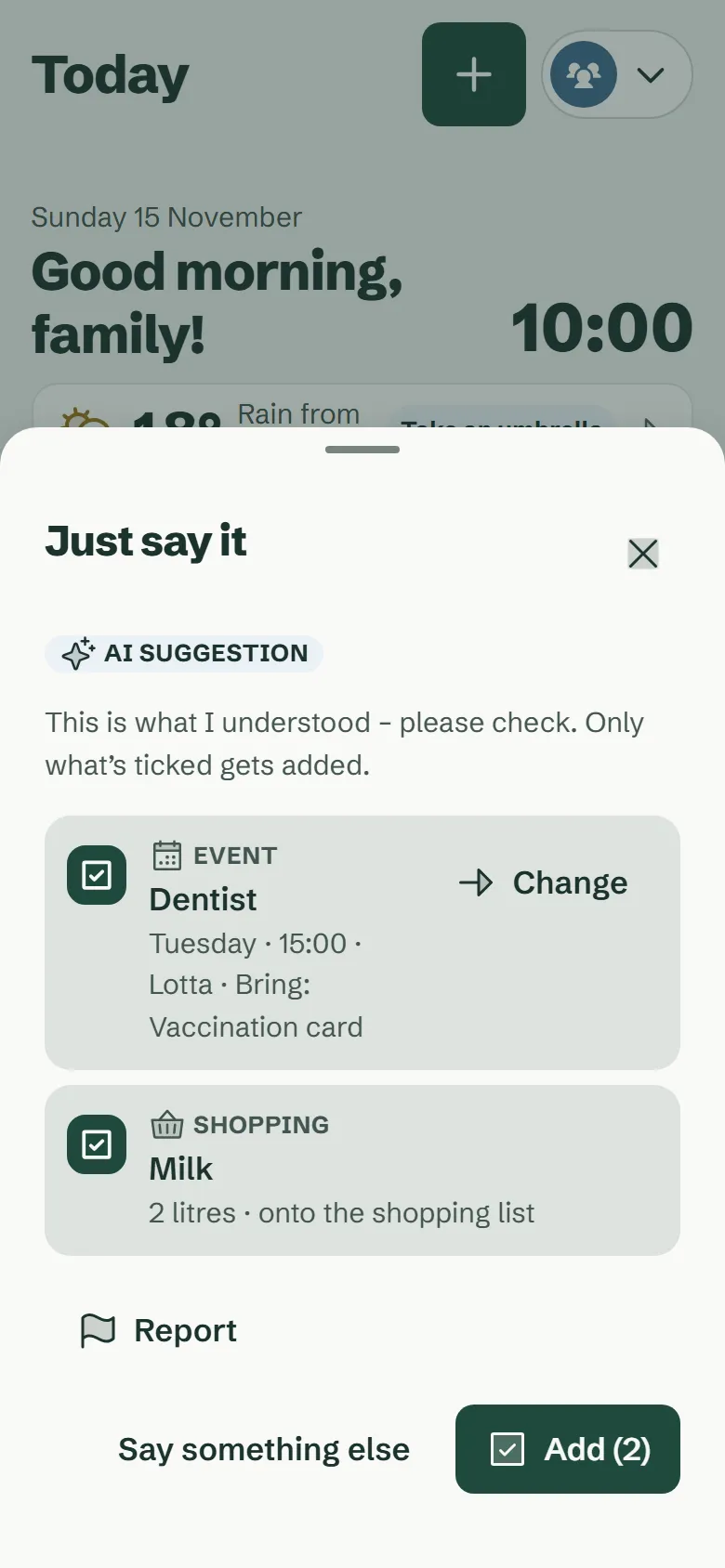
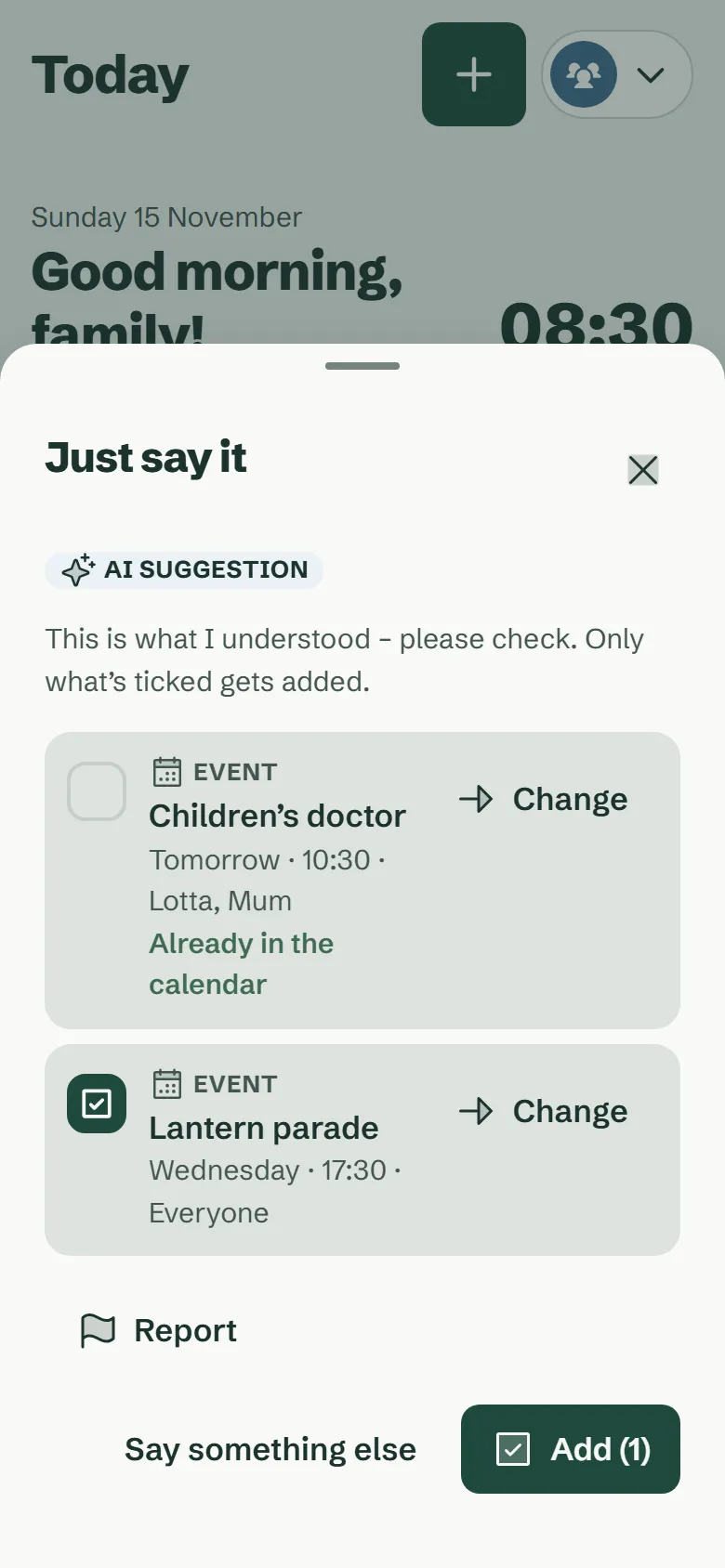
Take a photo of the page with your phone or tablet. The helper reads out all events and shows them as a list. Anything already in the calendar is recognised and left out.
You check, adjust and add everything at once. It works the same way with timetables, birthday party invitations and notes from school. Recipes work the same way: from up to three photos or from pasted text, under Food → Recipes.
What can I say?
- “Lotta has the dentist next Tuesday at 3 pm, bring the vaccination record, and we need milk.”
- “Football isn’t until 6 pm today.”
- “Delete the dentist on Tuesday.”
- “Jonas takes the bins out on Saturdays, 5 stars.”
- “Cinema voucher, 30 euros, valid until the end of May.”
- “Remind me an hour before.”
If several events fit, the helper asks: “Which one do you mean?” “Ben has football every Tuesday at 5 pm, not in the holidays” becomes a recurring event that pauses in the school holidays. When you speak, the app listens until you tap “Done”, pauses included.
Does the AI read our whole calendar?
No. To change or delete an event, Larovi Home finds the matching event itself. Your calendar does not go to the AI for that, only your sentence or your photo.
Right from the first use and on every input field you can see that an AI is reading along. Whatever the AI suggests carries the label “AI suggestion”; if something is not right, you tap “Report”. The AI’s meal suggestions are checked against your allergies.
What does the AI helper cost?
The AI helper is part of Larovi Plus for €2.99 a month or €29 a year, because every request costs us money. It includes 300 requests a month, and a photo counts as 10. For the launch you can try it for 30 days, with no payment details.
All the basic features of Larovi Home work without it.
More about pricingCan I switch the AI helper off?
Yes. It is only on once you switch it on, and you can switch it off again at any time. The settings explain in plain words what goes to the AI and what does not.
Our advice: add health details and other sensitive things by hand.
Questions about Just say it
Does the helper understand handwriting too?
Mostly yes, if it is easy to read. Anything it is not sure about, it shows you to check.
Answer on its own pageDoes speaking work on every device?
On Android and on a computer in Chrome, yes; on iPhone and iPad through the keyboard’s dictation.
Answer on its own pageWhich languages does the helper understand?
At launch, German. English follows with the English app.
Answer on its own page