 Larovi
On this page
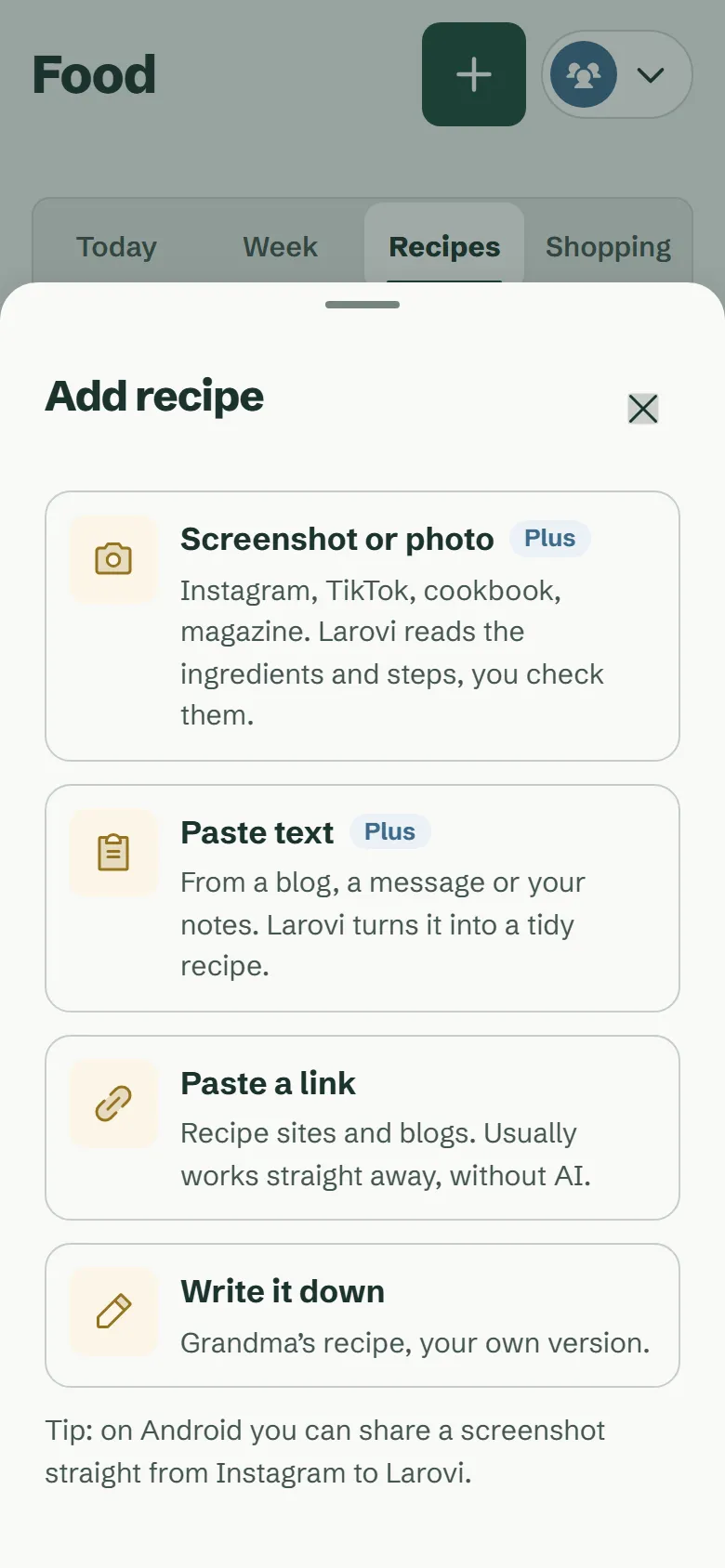
How do we save recipes from Instagram, cookbooks and the web?
Paste a link, upload up to three screenshots, take a photo of the cookbook page or paste the recipe text from a message: Larovi Home turns it into a tidy recipe with ingredients, steps and servings. You check it quickly and save.
Links from recipe websites are read without AI, and that is free. Screenshots from Instagram or TikTok, photos of cookbooks and pasted text are read by the AI helper, which is part of Larovi Plus. We do not copy other people’s photos; if you like, take your own of the finished dish.
How does the cooking view help while cooking?
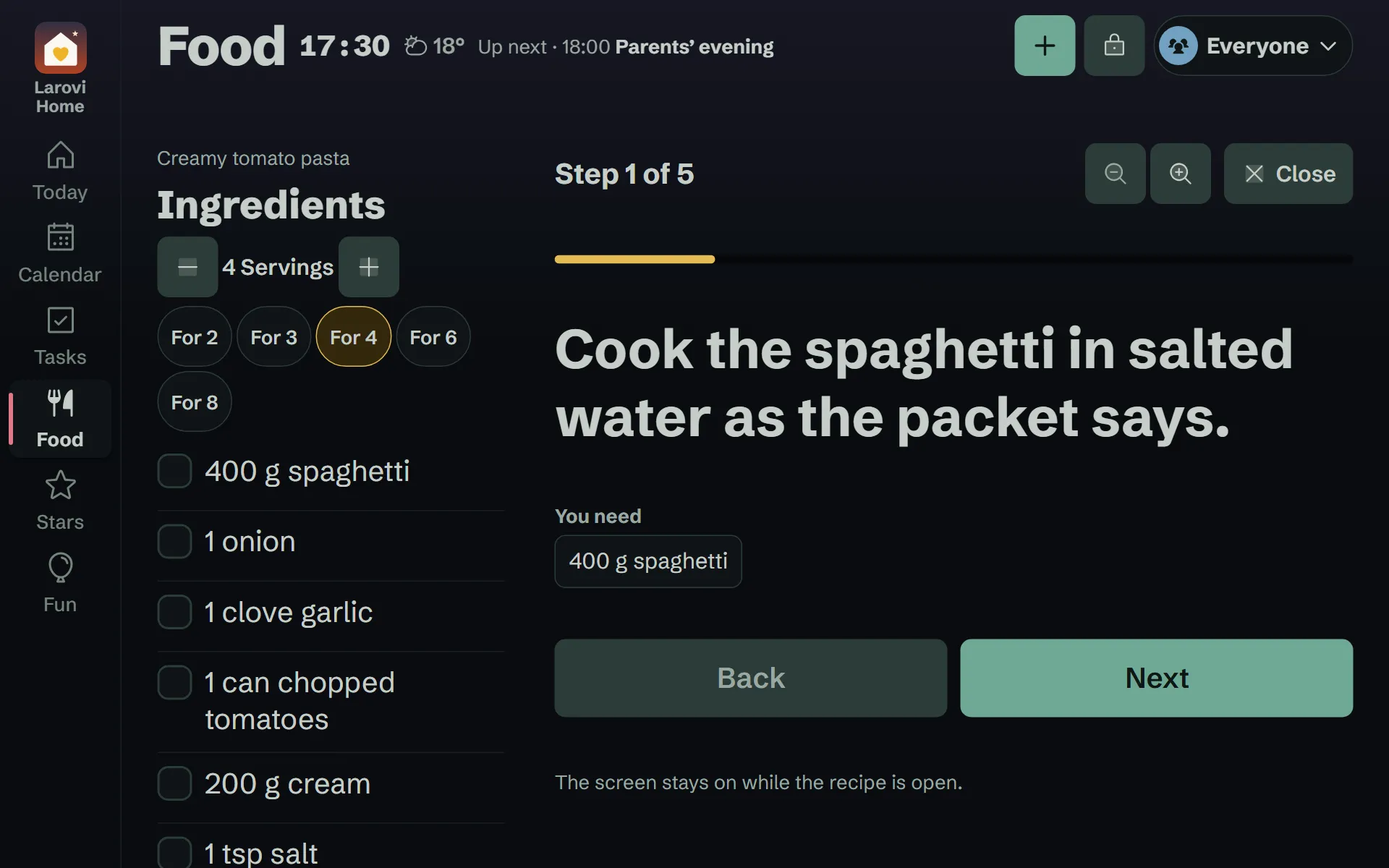
Every recipe becomes a cooking guide by itself: one step per screen in large type, “simmer for 10 minutes” becomes a timer button, and each step shows the ingredients you need right now.
At the start you set how many you are cooking for, and the amounts follow. The screen stays on, on the wall tablet too, and the text can be made larger. On a tablet the ingredients sit right beside it to tick off.
What’s for dinner today? How does Larovi Home suggest dishes?
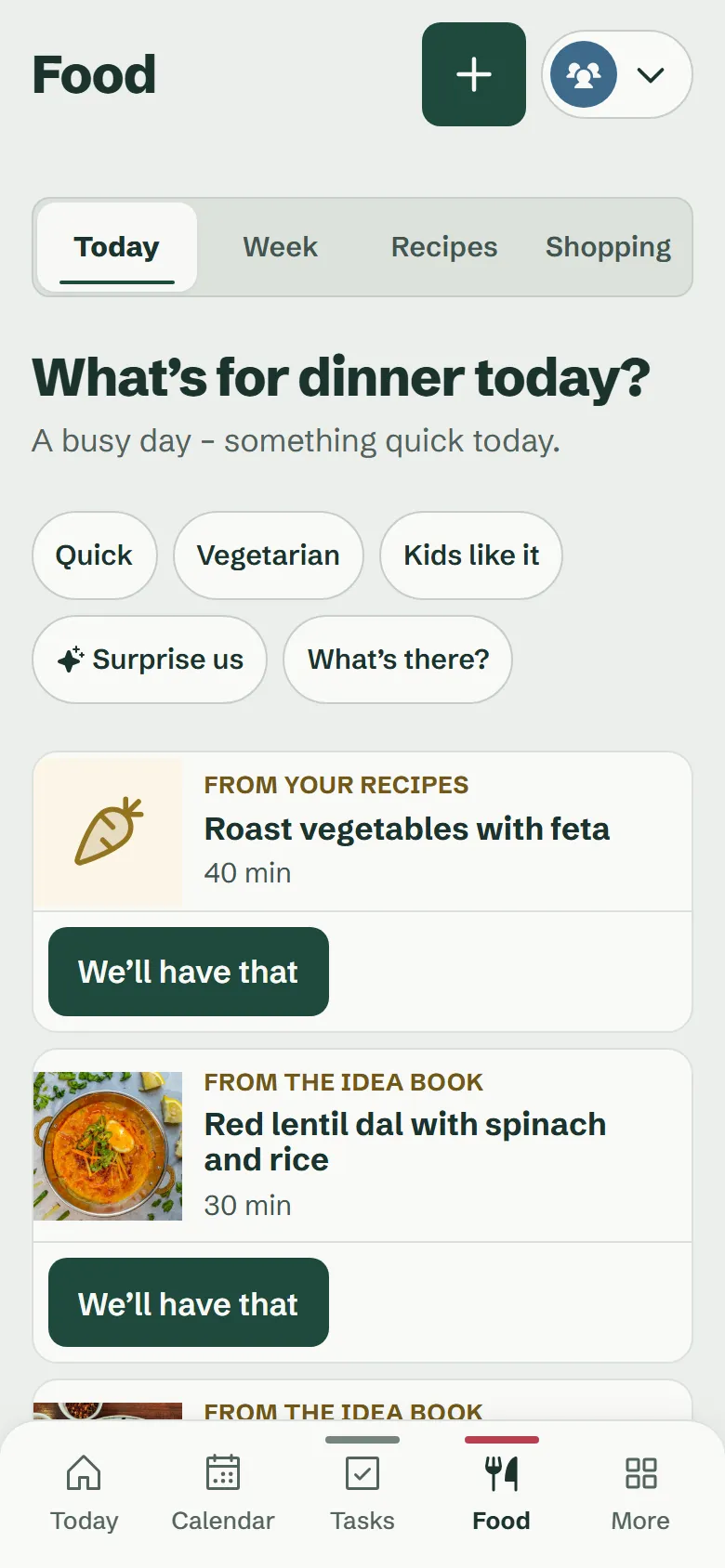
Under Food → Today there are three suggestions every day that suit your day: something quick when the calendar is full, something new on a free Sunday. What you just had does not come round again straight away, the mix changes every day and dishes in season come up more often.
The suggestions come from your recipes and the Larovi idea book. “Quick”, “Vegetarian” or “Kids like it” narrow them down, “Other suggestions” shows three new ones. One tap on “We’ll have that”, and the wall shows “Today we’re having”.
In the mood for something completely new? “Surprise us” asks the AI helper for three fresh ideas.
What if we do not have any recipes of our own?
Then the Larovi idea book helps: 100 main dishes with photos from many cuisines, from shakshuka and red lentil dal to Kaiserschmarrn, cooked from scratch and each with a tip for kids. Plus 20 baking recipes, with Christmas biscuits such as Vanillekipferl in winter.
Search by cuisine, by “In season now”, “Quick”, “Vegetarian” or “Kids like it”. Where ready-made dough saves time, it says so as a tip.
Add the ones you like to your own recipes with one tap and adjust them there.
What can we cook with what we have?
Type or say under “What’s there?” what is in the fridge, for example “peppers, feta, potatoes”. Larovi Home shows which dishes fit and what is still missing.
What is missing goes onto the shopping list with one tap. No AI needed.
How do we plan meals for the week?
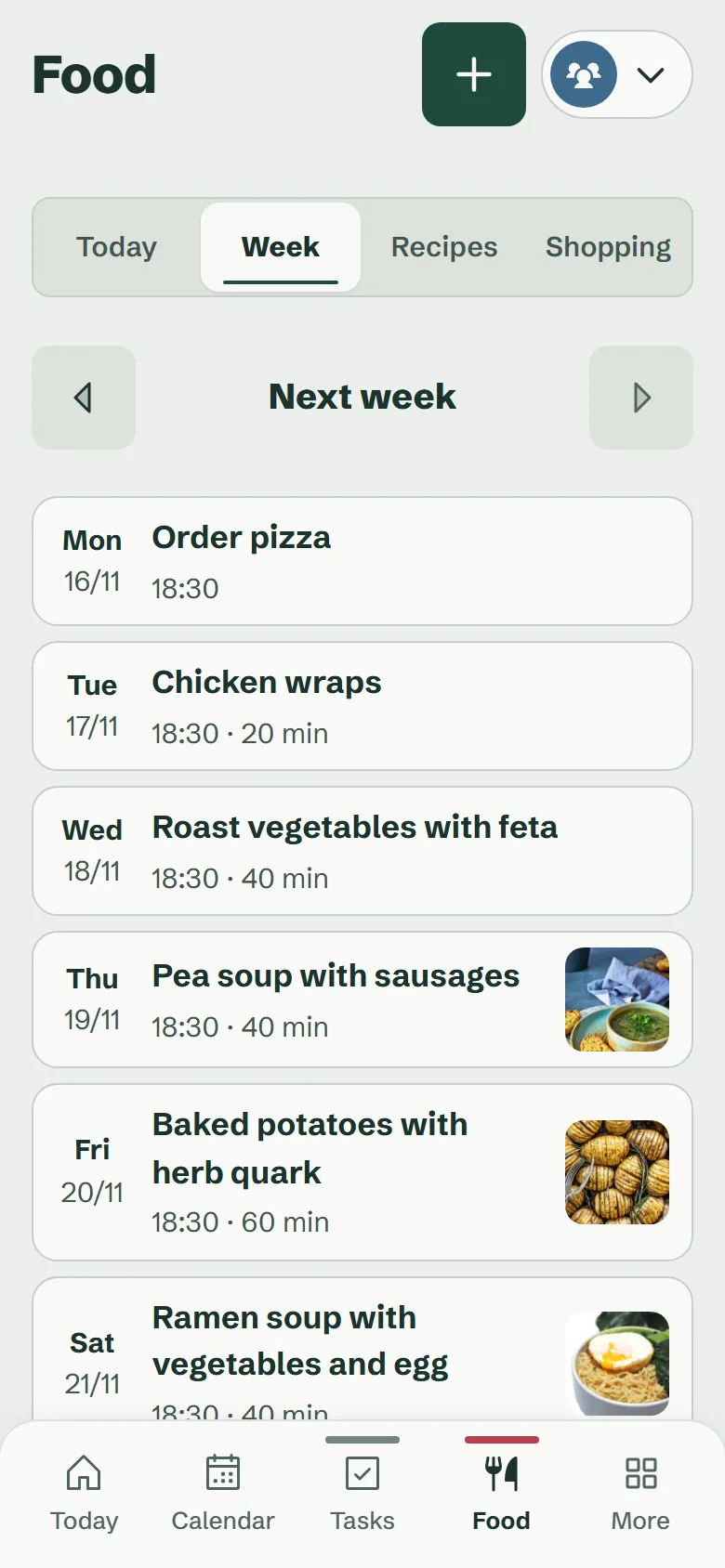
The meal plan shows every day with its dish and your family’s dinner time. Tap a day for three suggestions for exactly that day, or let “Suggest the open days” fill the whole week.
Swap or leave out whatever does not fit. “Order pizza” or “at Grandma’s” works too. The kids show on the wall whether they are looking forward to it.
How do you plan with kids, allergies and dislikes?
You can note allergies and dislikes for every person. If Larovi Home spots an allergy you have entered in the ingredients, it warns you and does not suggest the dish. Please still check the ingredients yourself, as it can miss something. For dislikes it says who will not like it.
What the kids looked forward to comes round more often.
How do the ingredients get onto the shopping list?
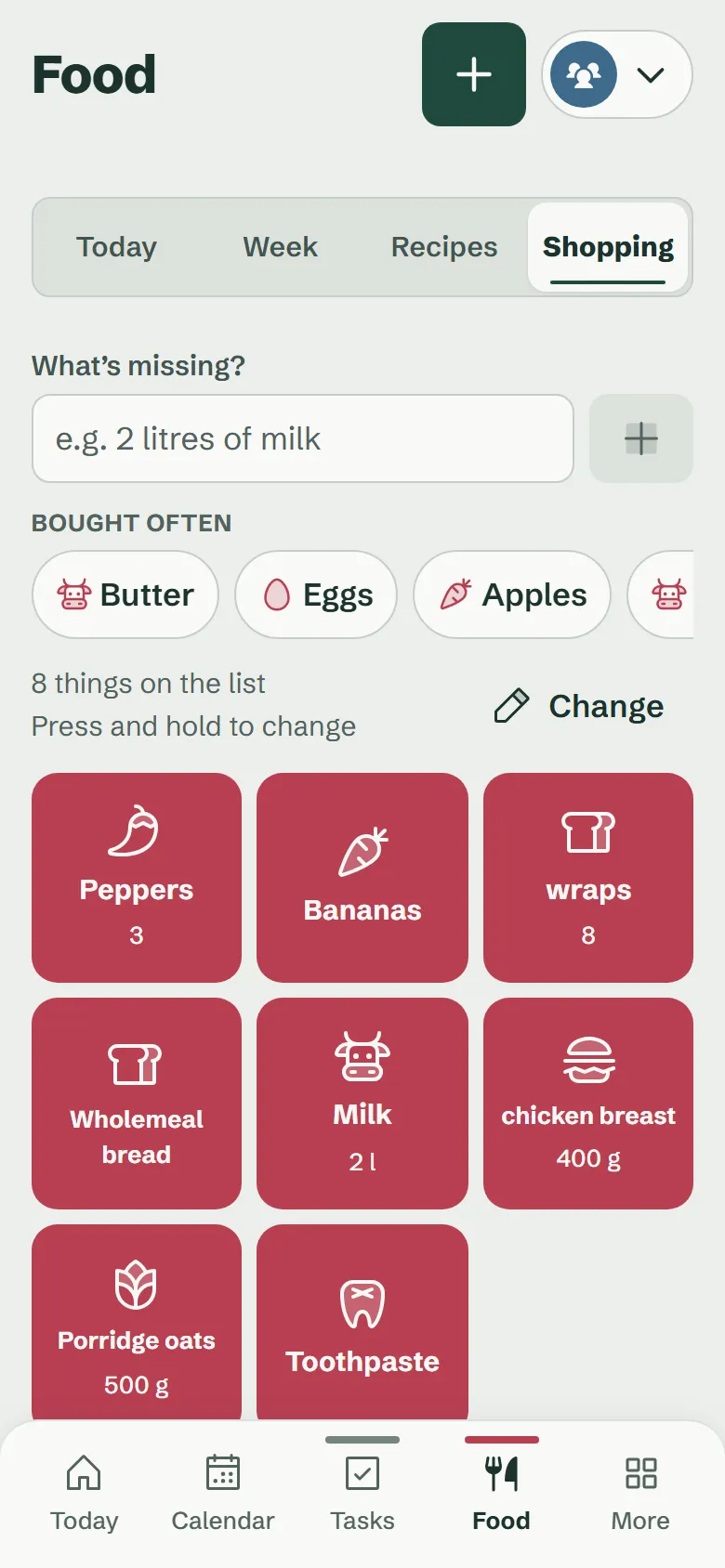
With one tap: from a recipe, bundled from the meal plan or whatever is missing under “What’s there?”. What is already on the list is not added twice.
The list is sorted by supermarket aisle, with a picture for every item, and everyone ticks things off at the same time, on phones and on the wall. It is free and without a limit, for loo roll and nappies too.
Already using Bring!? Then simply keep your list connected.
What is free, and what is part of Larovi Plus?
The shopping list without a limit and up to 20 of your own recipes with the cooking view are free. Suggestions, the meal plan, the idea book, any number of recipes and recipes from photos are part of Larovi Plus for €2.99 a month, for the whole family.
Questions about food
Can Larovi Home plan meals for the family?
Yes. Larovi Home suggests three dishes every day that suit your calendar, plans the week with you and puts the ingredients on the shared shopping list. Suggestions and the meal plan are part of Larovi Plus, the shopping list is free.
Answer on its own pageCan I save recipes from Instagram?
Yes. Take a screenshot of the recipe and upload it: the AI helper turns it into ingredients, steps and servings, you check it quickly and save. Recipes from screenshots or photos are part of Larovi Plus, links from recipe websites are free.
Answer on its own pageCan we share the shopping list as a family?
Yes. All parents and teens see the same list and tick things off at the same time, on the wall display too. It is sorted by supermarket aisle, free and without a limit. If you already use Bring!, you can keep your list connected.
Answer on its own pageWhat if we cannot think of anything to cook?
Then the Larovi idea book helps: 100 main dishes from many cuisines with photos and a tip for kids, plus 20 baking recipes, with Christmas biscuits in winter. Under “What’s there?”, Larovi Home also shows what you can cook with what is in the fridge.
Answer on its own page