 Larovi
The family plan on the wall.
And the family organiser in your pocket: always with you to plan, shop and organise. So it doesn’t all sit in one head. Events, tasks and stars for the kids in one shared place, on the tablet you already have and on your phones.
Your data in FrankfurtNo adsNo accounts for kids
- No new device. The tablet from the drawer is enough.
- Kids without a phone. They tick things off on the wall.
- Calm, not one more app. When nobody needs anything, it shows the clock and the sky.
Sound familiar?
“When is parents’ evening again?”
Events live in three apps, on a scrap of paper and in one person’s head.
“Did you put the bins out?”
It is usually the same person who remembers everything, every day.
“But I did it!”
The kids help out, but nobody sees it. And the sticker chart on the fridge disappeared long ago.
of mothers in Germany feel the mental load as a heavy burden, compared with 31% of fathers. Source: Hochschule Macromedia (HMU), study 2025
The tablet in the drawer is enough.
Ready-made family wall calendars cost around 300 to 700 dollars in the US, often plus a subscription. Larovi Home runs on the device you already have, and the basics are free.
Why Larovi Home works differentlyOn the wall in three steps
-
Put up the tablet.
An Android tablet or iPad is enough, an older one too. A laptop, PC or any screen with a browser works just as well.
-
Add events.
Straight into your family calendar. Google, Outlook, Apple, school and club calendars join in by themselves via a link.
-
Everyone joins in.
The kids tick off on the wall, you see it on your phone.
One calendar for the whole family
Each person in their own colour, on the phone, on the tablet and on the wall. Choose a person at the top to see only their events. School holidays, shifts and bin collection are already in.
- School holidays for all 16 German states, training pauses in the holidays
- Shift plans in a rhythm, say 2 early · 2 late · 2 night · 3 off
- Timetables for every school kid
- Bring in Google, Outlook and Apple – or replace them altogether
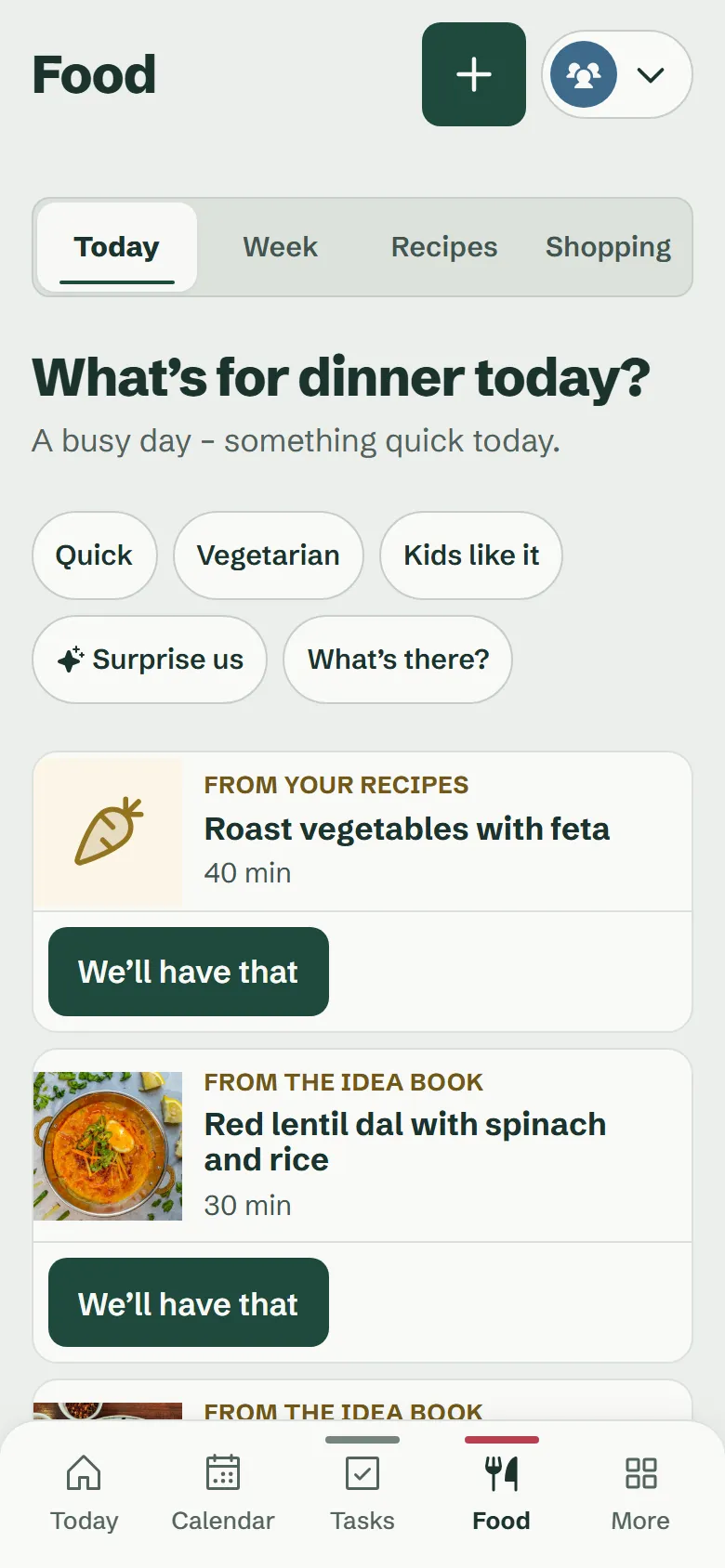
What’s for dinner today? Larovi has three ideas.
You see great recipes all the time, and at five o’clock nobody knows what to make. Larovi Home suggests three dishes that suit your day. One tap, and everyone sees on the wall what’s for dinner.
- Recipes from anywhere: a link, a screenshot from Instagram or a photo of a cookbook
- The cooking guide makes itself, with timers and amounts for your number of servings
- Plan the week with one tap, the kids vote
- The ingredients onto the shared shopping list with one tap
A day with Larovi Home
This is how it looks at the Sommer family’s, with real pictures from the app.
-
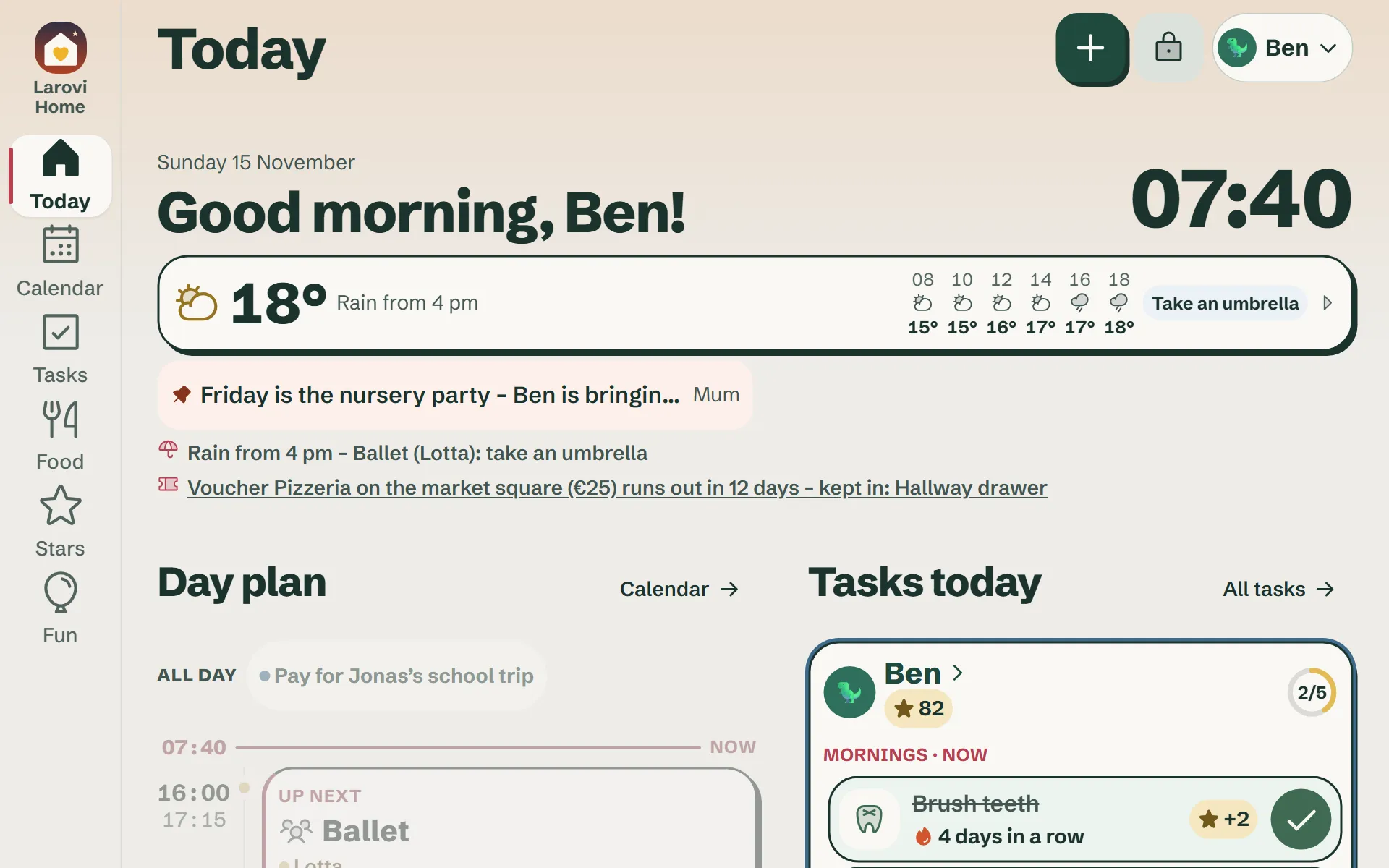 · Morning
Everyone sees what’s on.
Ben looks at the wall and ticks off “Get dressed” himself. Nobody has to call three times.
-
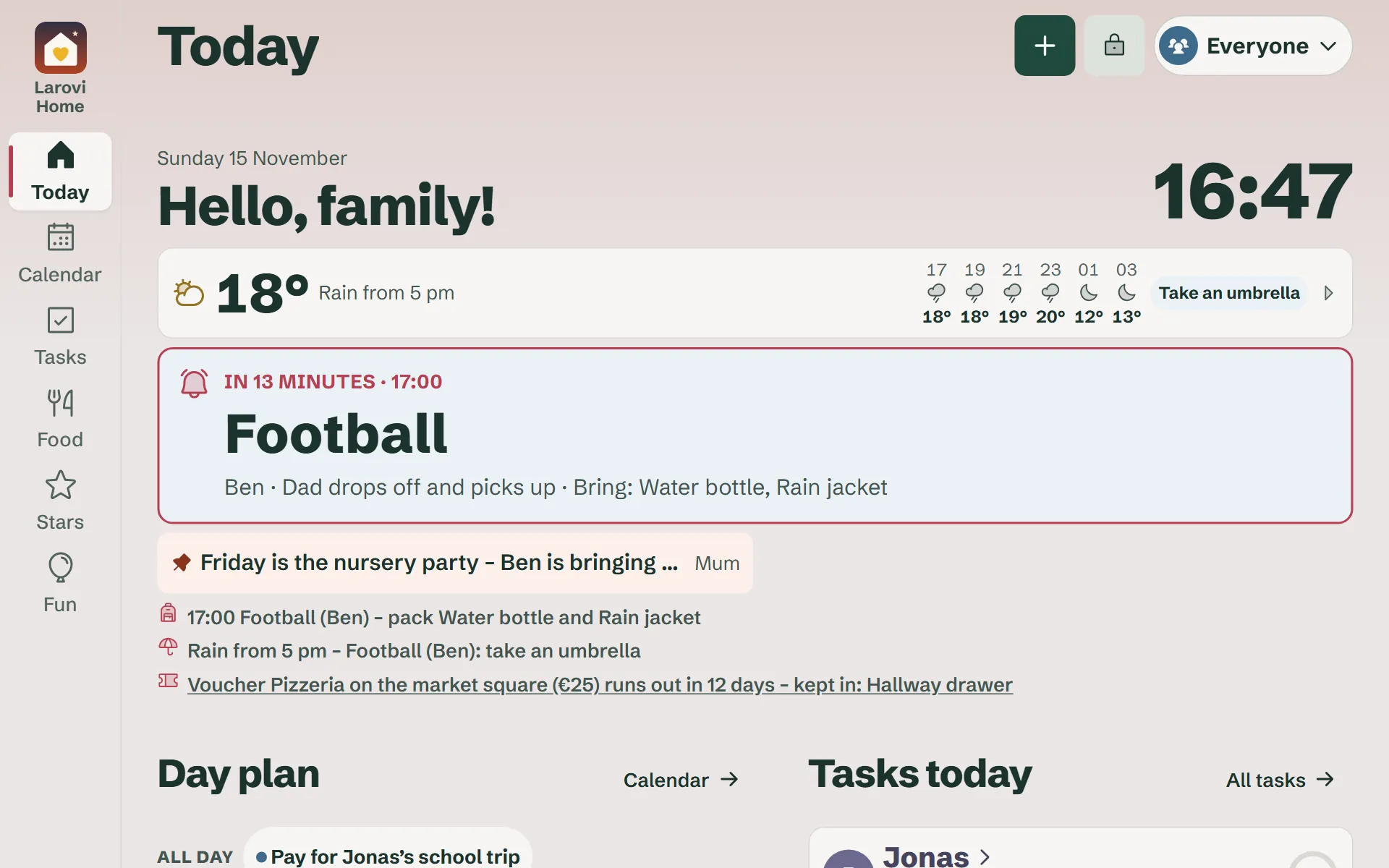 · Afternoon
Reminded in time.
Football starts in 13 minutes. Who drives and what to bring is right there.
-
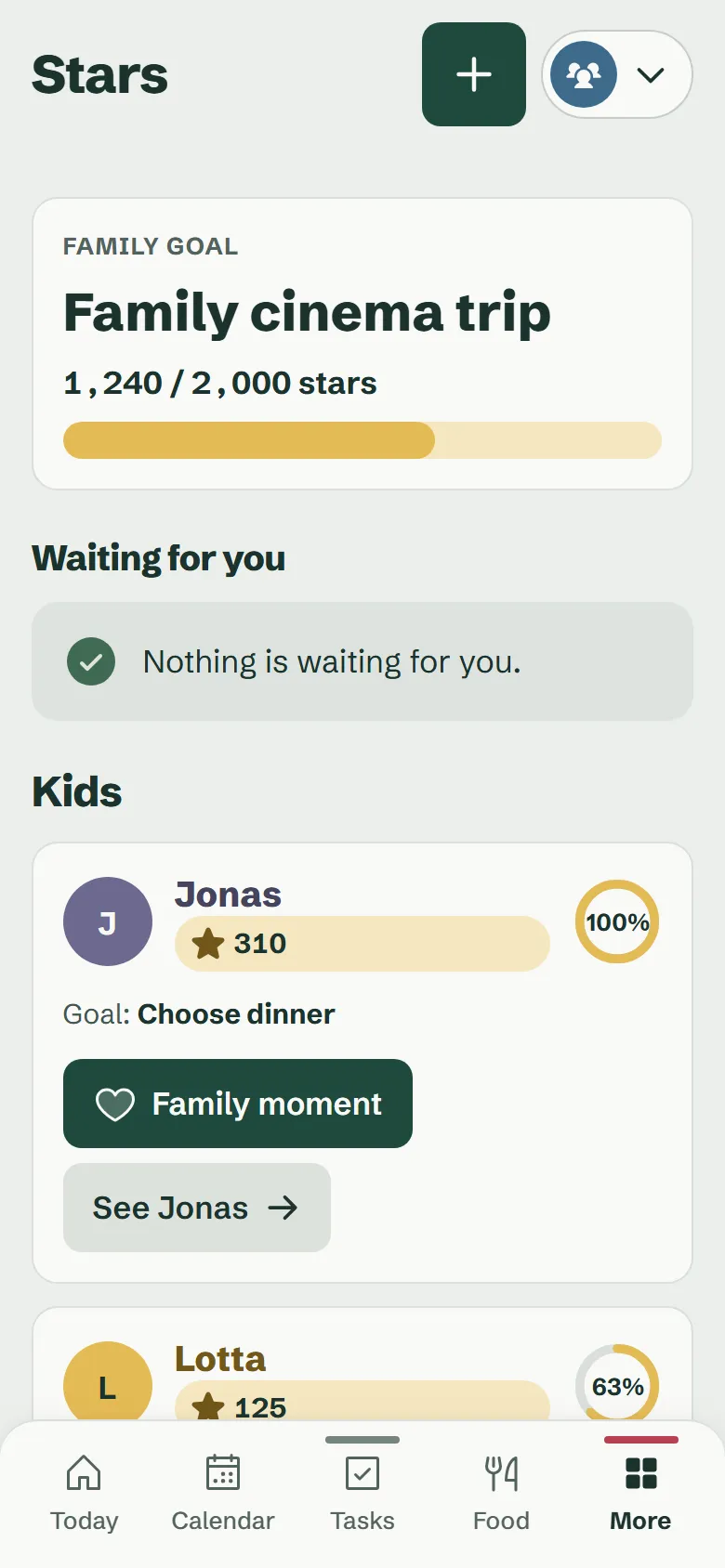 · Evening
See what everyone achieved.
The day’s stars count towards the family goal. 760 to go until family cinema night.
-
 · Night
Just the clock.
The tablet goes almost dark and does not disturb anyone’s sleep.
One for all, everyone with their own access
One family account, any number of devices. Everyone sees what they need and can do what suits them.
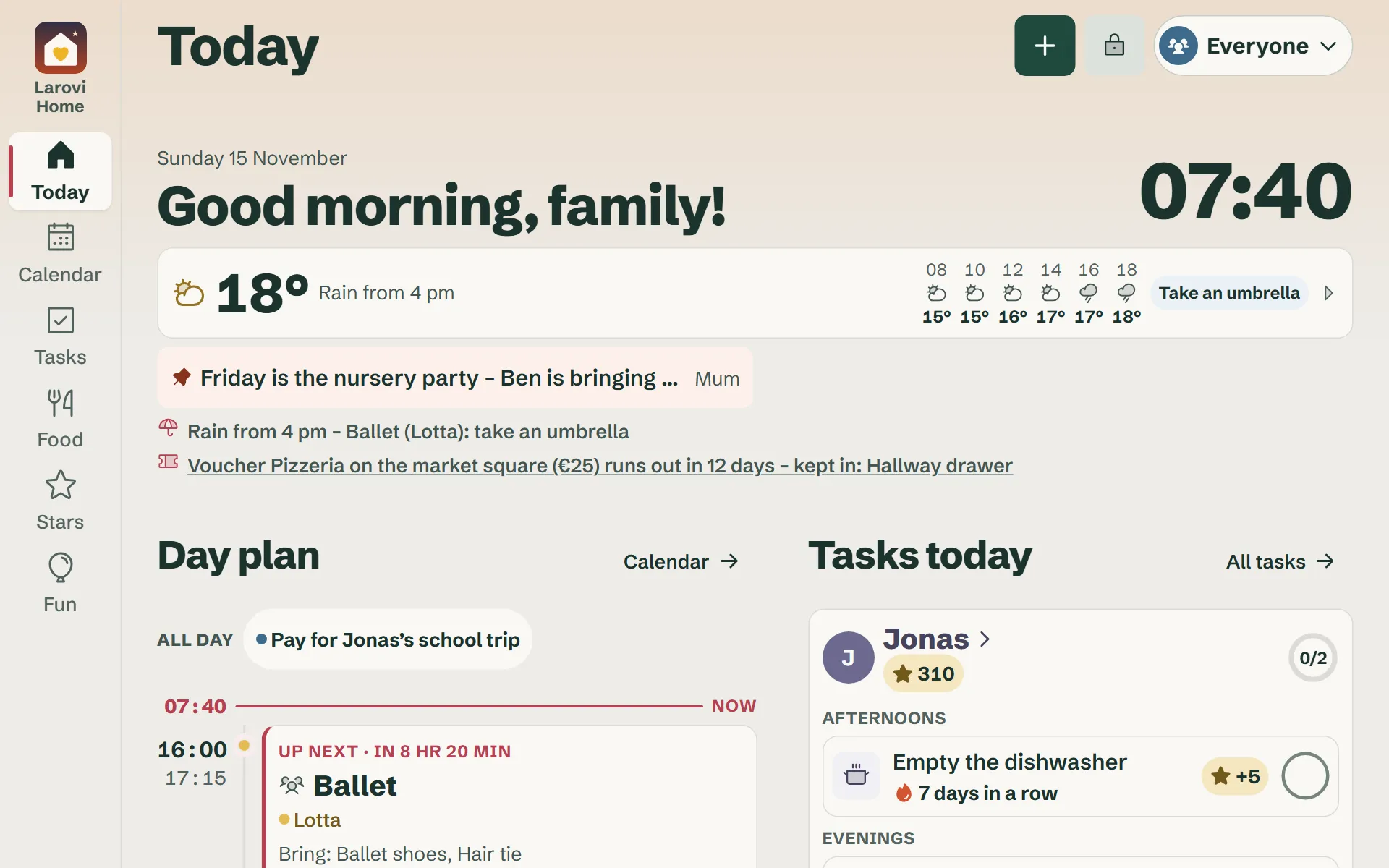
Wall display
No sign-in: kitchen, hall, kids’ room. As many displays as you like, on a tablet, laptop or PC.
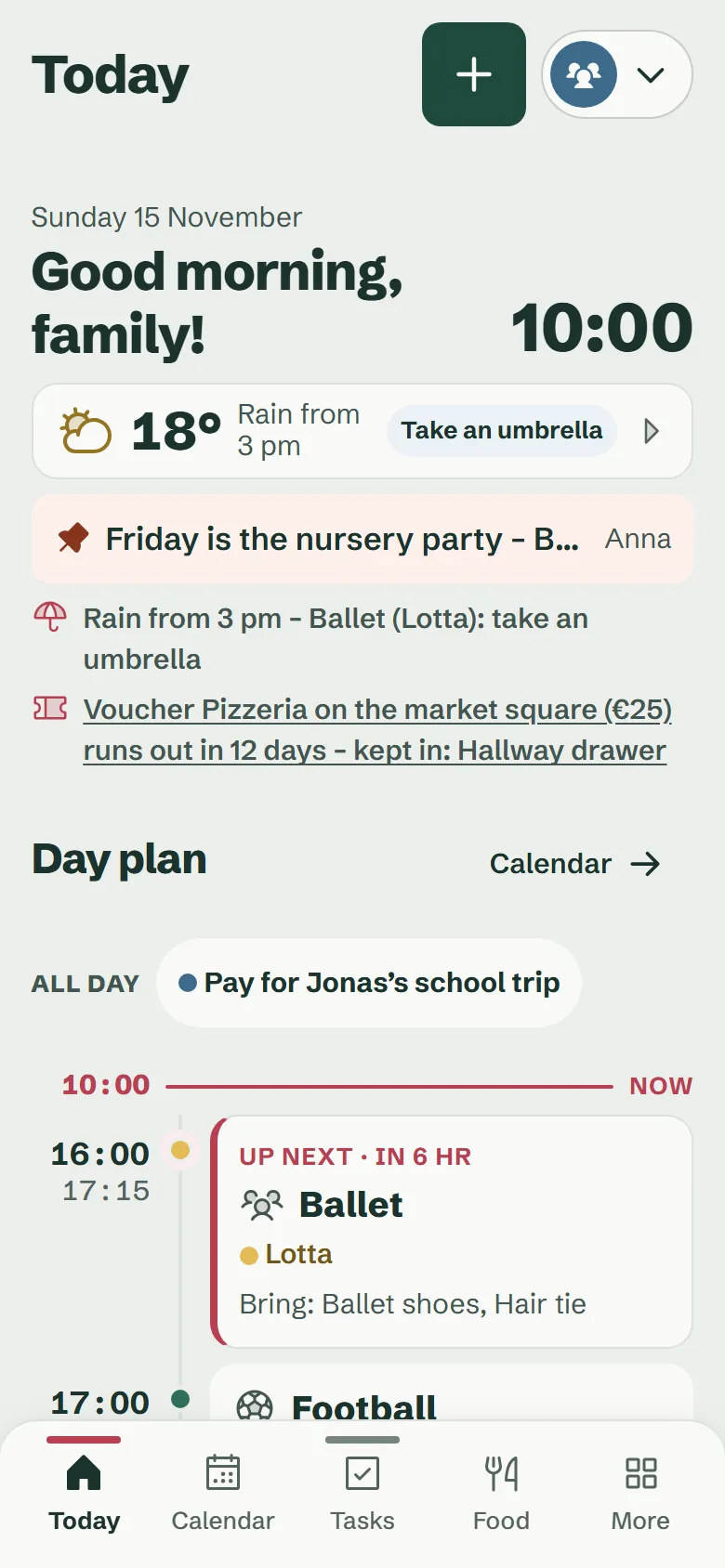
Parents
Both with their own access on their phone: events, approvals, settings, on the go too.
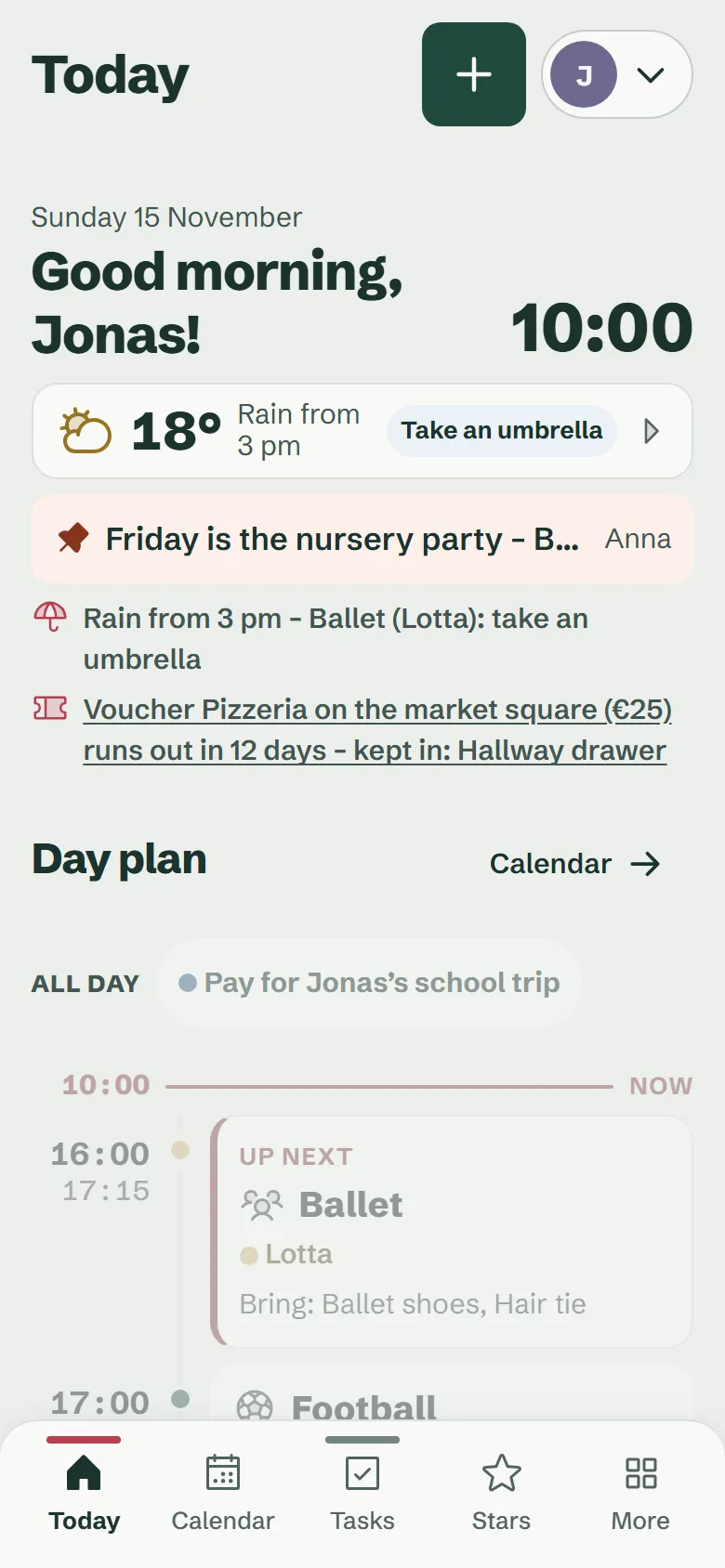
Teens
Their own access with their own events, tasks and stars. Reminders arrive on their own phone.
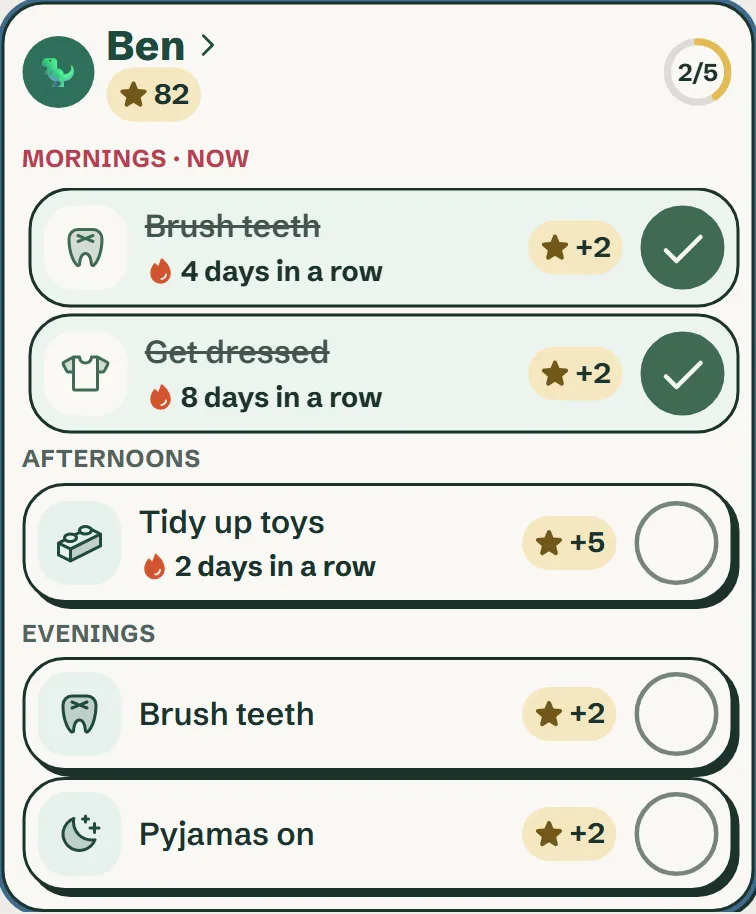
Kids
On the wall, without a phone and without signing in. Tasks as big pictures, ticked off with one tap.
The parents’ area on the wall display only opens with your PIN and closes again by itself.
Kids join in, no phone needed.
Tasks as pictures, ticked off with one tap, stars for a shared family goal. Mum and Dad collect too. So everyone sees who carries what.
- You decide everything: tasks, stars, how often, rewards and the family goal
- Pictures for kids who cannot read yet
- “Done together” shares the stars fairly
- Kids wish for rewards, you approve them
Say what’s coming up. Done.
Type, speak or take a photo of the paper calendar. Larovi Home turns it into events, shopping and tasks. You check briefly and add it. Nothing is saved without your OK.
- New timetable after the holidays? Take a photo, done.
- Bring in the monthly calendar from the kitchen wall in one go; the helper spots duplicates
- A school letter or birthday party invitation becomes an event with a packing list
- Photograph a voucher: value, date and code are filled in straight away
- “Football isn’t until 6 pm today” updates the event
- You always see when an AI is reading along. The AI helper is part of Larovi Plus.
You say “Lotta has the dentist on Tuesday at three, bring the vaccination record. And we need milk.”
AI helper · Larovi Plus
For the good things that otherwise get lost.
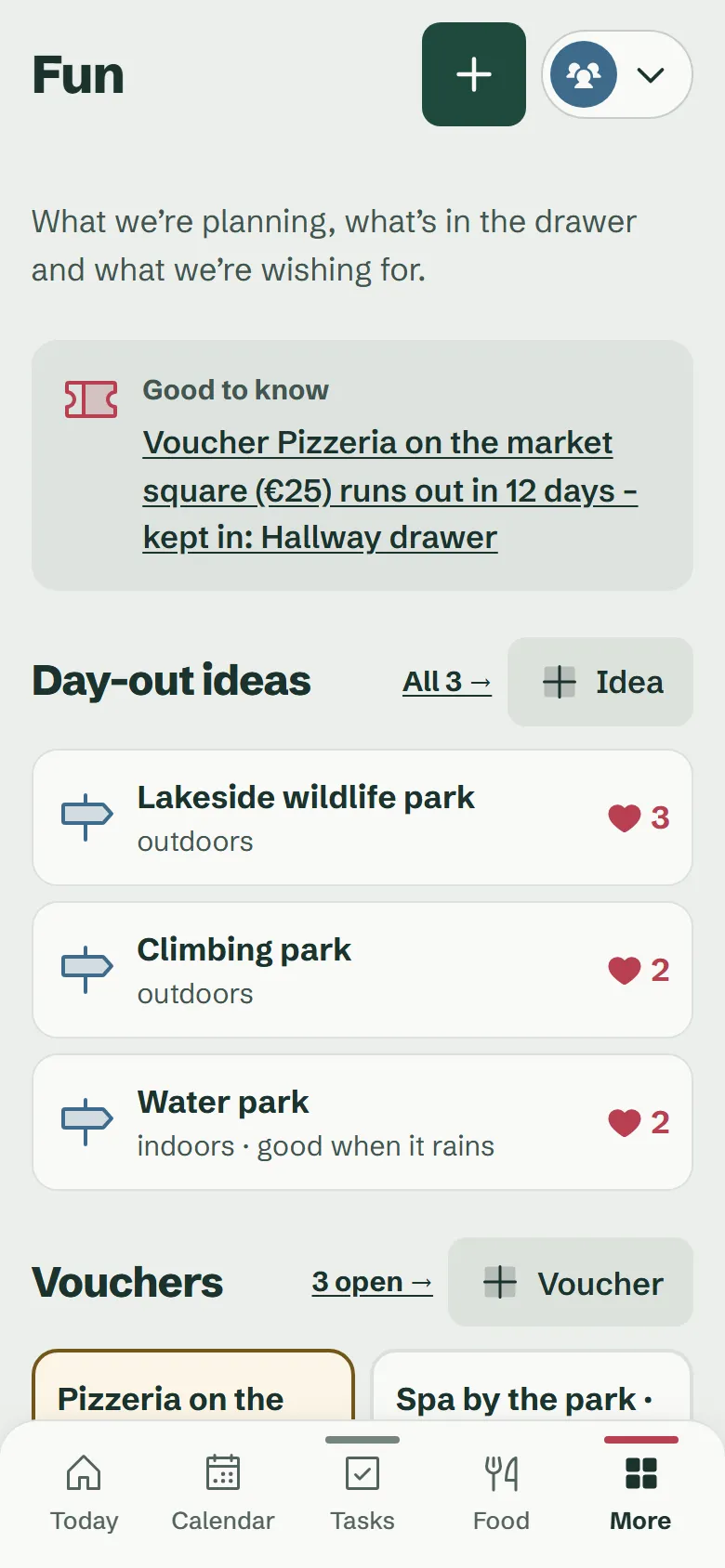
When the weekend is free, Larovi Home suggests something that suits the weather from Thursday on.
- Day-out ideas on the map, with distance and opening hours
- Vouchers with an expiry date, a quiet hint before they run out
- Secret wish lists: the kids never see who is getting what
When nobody needs anything, it goes quiet.
No dashboard full of tiles: when nobody is using the tablet, it shows a big clock, the weather and the next event against a sky that moves with the time of day. At night only the clock stays.
- A big reminder 15 minutes before an event, with a gentle chime if you like
- Hints such as “Tonight: yellow bin out to the street”
- Text and buttons as big as the distance needs
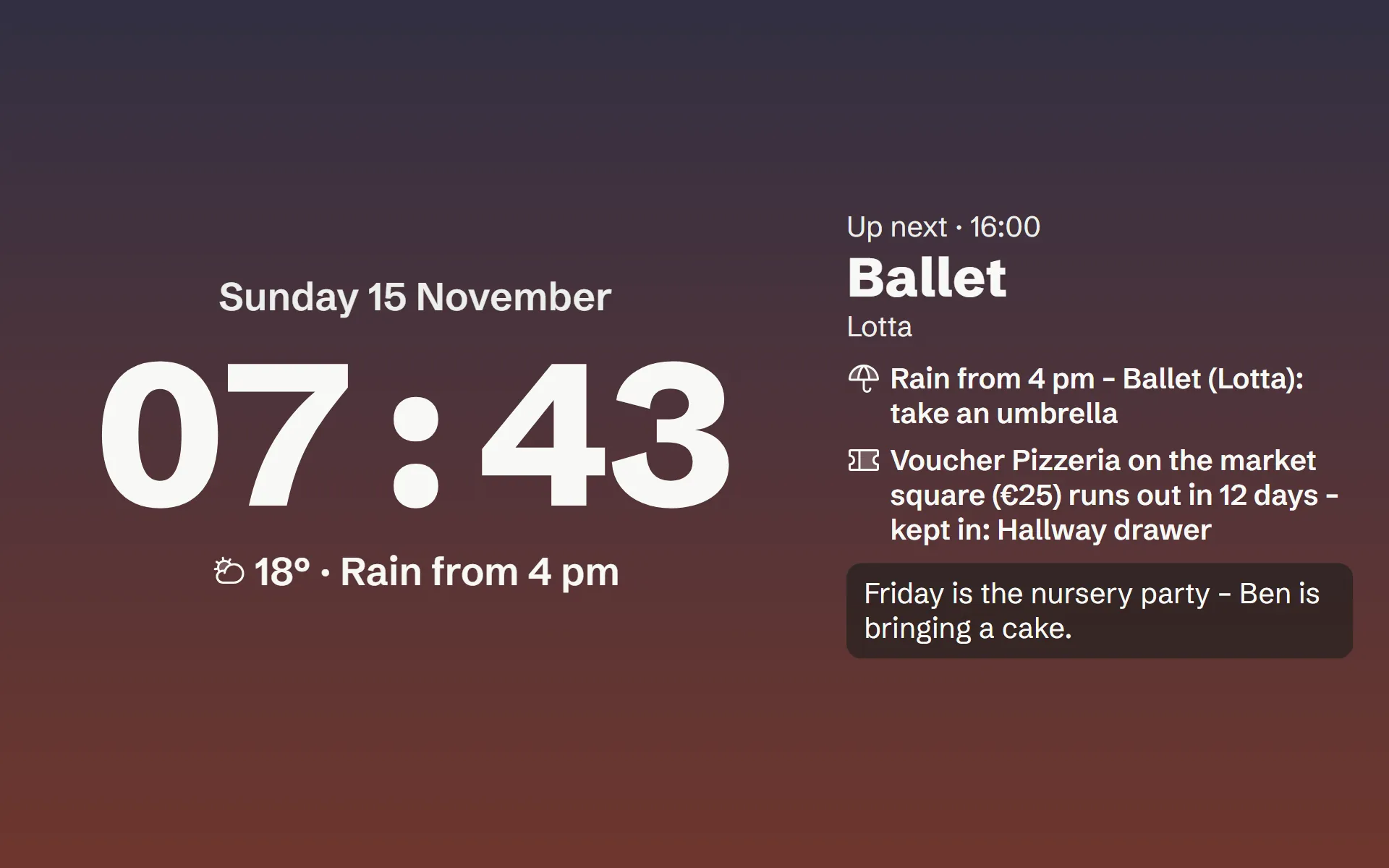
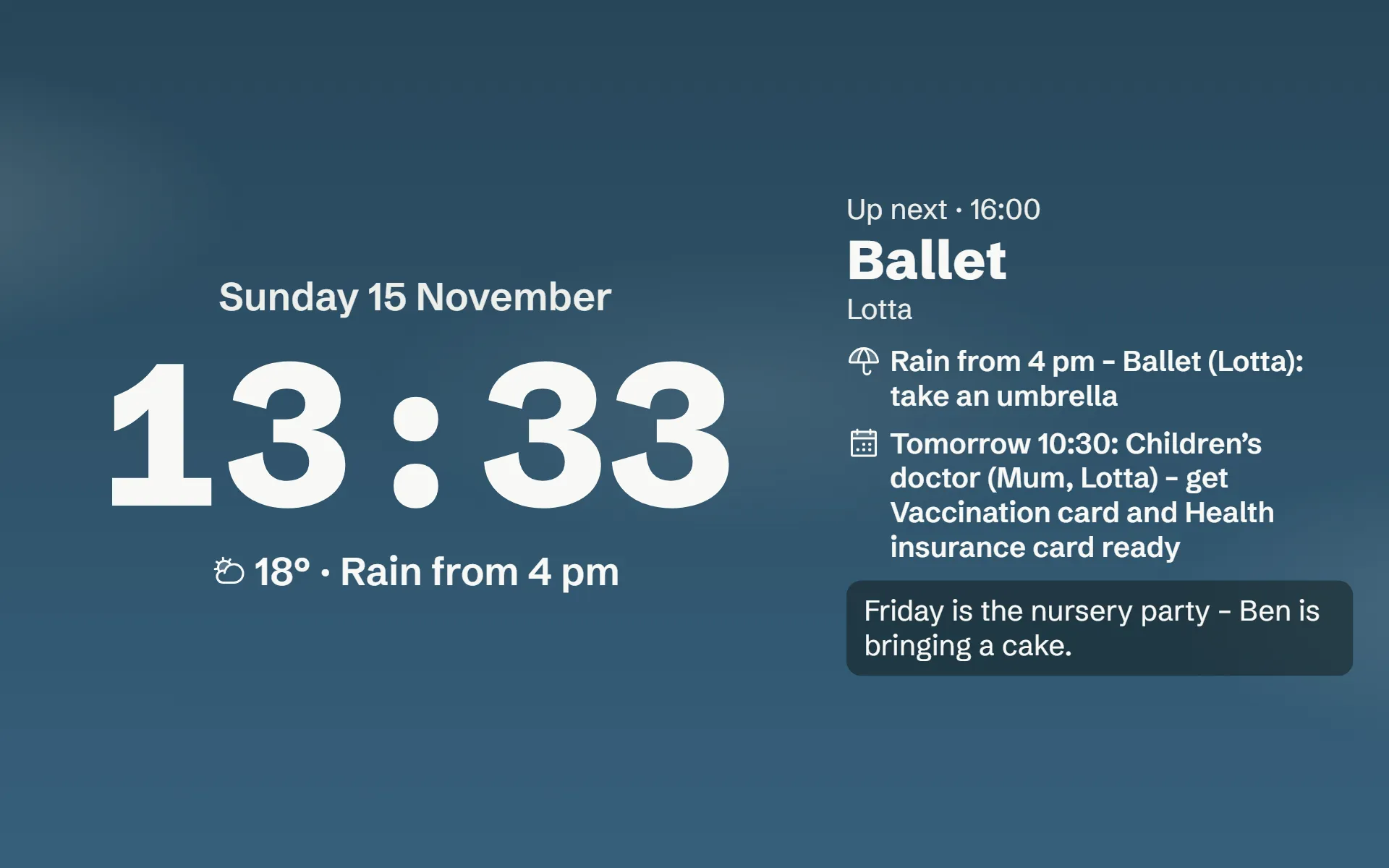
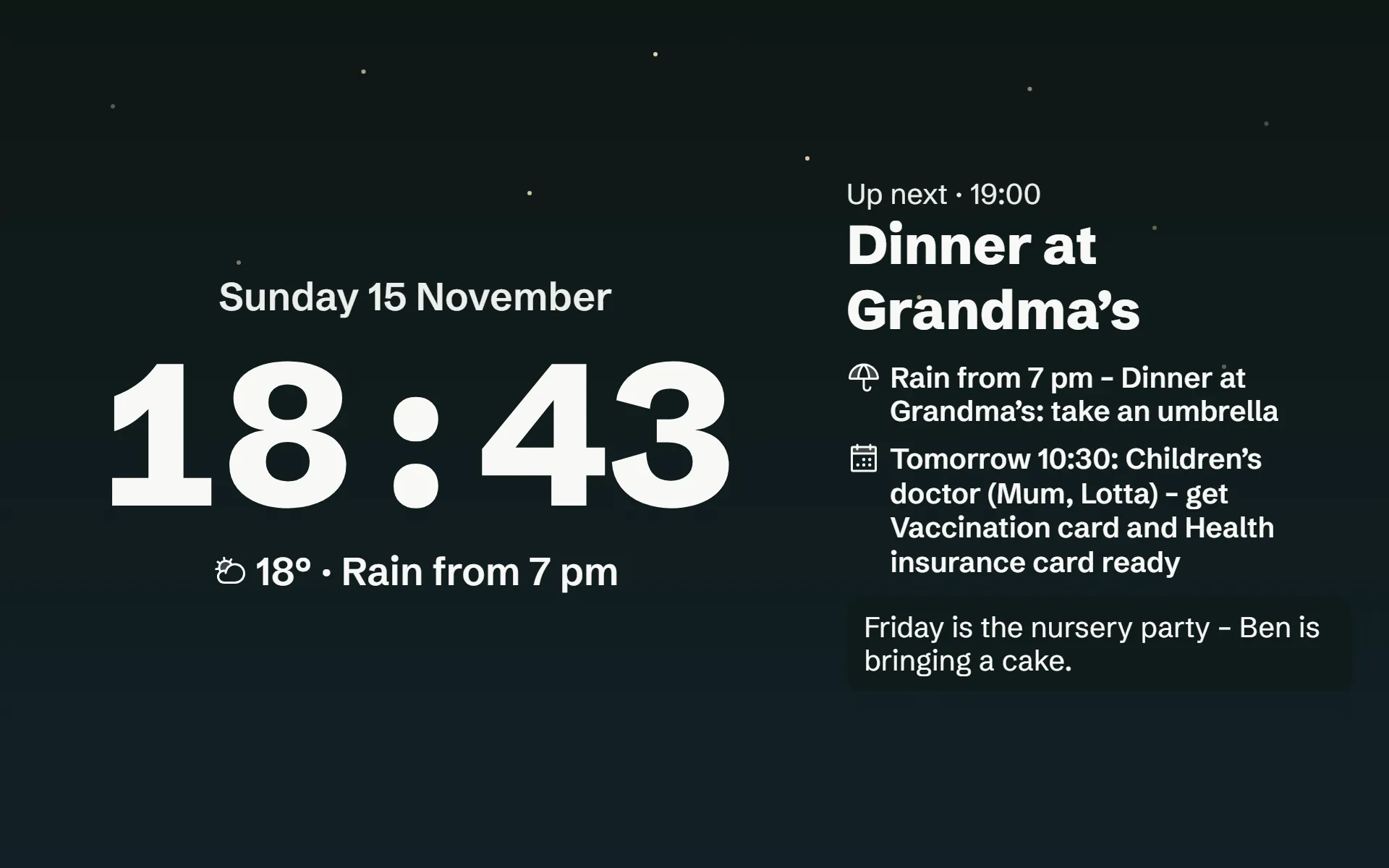
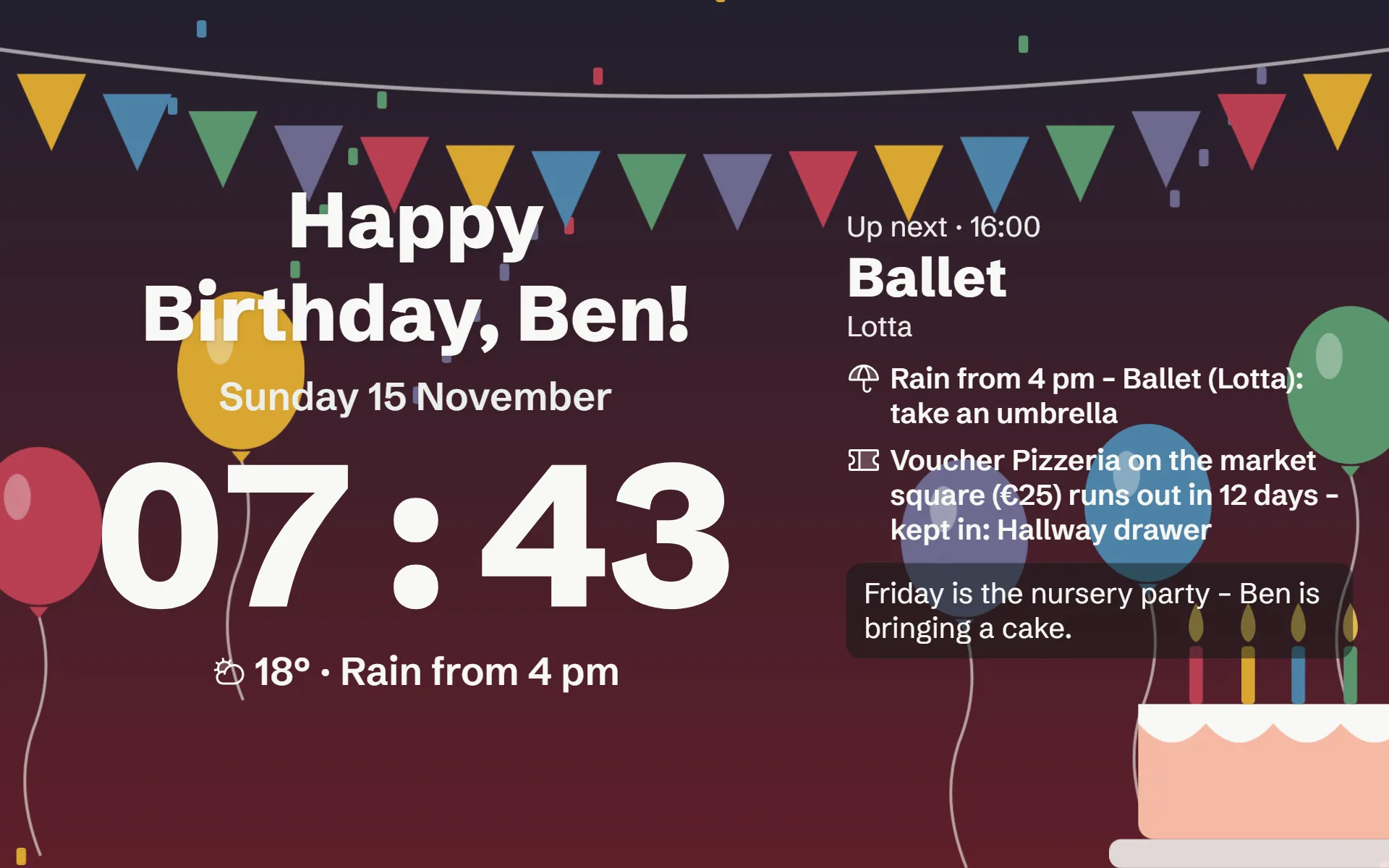
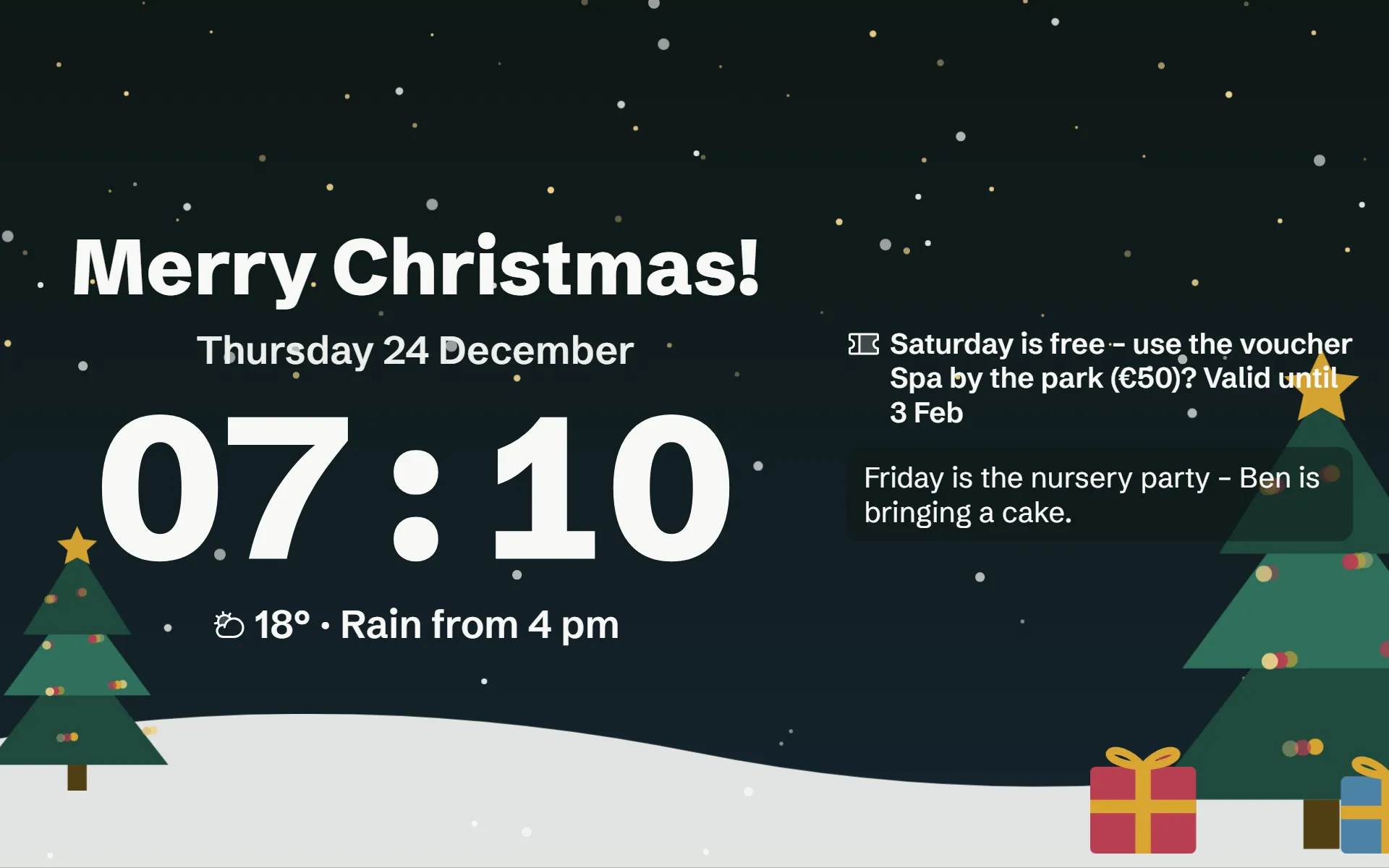
Das echte Ruhebild der App. Tippt auf eine Tageszeit.
Your data stays yours.
Stored in Frankfurt.
Your events, tasks and lists are kept on servers in Frankfurt am Main, Germany. Which other services help is listed openly on Your data.
No ads.
We do not make money from your data, but from Larovi Plus.
Kids protected.
Kids need no account and no email. You decide what they see and do.
Leave any time.
Download everything as a file or delete the family with all its data.
Larovi Home grows with your ideas.
Something not working, could be better or missing? Send it straight from the app under “Ideen & Feedback” (ideas & feedback). We read every message ourselves, and your wishes help decide what comes next.
Not on board yet? Write to us at info@larovihome.com.
Questions and answers
Which tablet do I need?
An Android tablet with a current Chrome or an iPad with a current Safari, roughly anything from 2018 on. You do not have to buy a device of its own. A laptop, PC or touchscreen with a current browser also works as a wall display.
Answer on its own pageWhat does Larovi Home cost?
The basics are free: calendar, tasks, stars, wall displays and accounts for the whole family. Larovi Plus with all new extras costs €2.99 a month or €29 a year. The AI helper “Just say it” is part of Larovi Plus. For the launch every new family gets 30 days of Plus as a gift, with no payment details. What you use for free stays free for at least 12 months from launch.
Answer on its own pageDoes it work with our Google, Outlook or Apple calendar?
Yes. You paste in your calendar’s link and the events appear by themselves. Up to three connected calendars are free, as many as you like with Larovi Plus. The other way round, you subscribe to the family calendar on any phone. Events from connected calendars are still edited where they come from.
Answer on its own pageDo the kids need their own phone?
No. Kids use the wall display. Teens can get their own access on their phone.
Answer on its own pageDo I have to install an app?
No, you do not have to: Larovi Home runs in the browser, on phones, tablets and computers. If you like, you can still install it like an app with two taps; then it starts from the home screen in its own window. On the iPhone this step is needed for reminders to arrive.
Answer on its own pageWhen does it start?
Now. Larovi Home has launched: you set up your family in a few minutes and use the basics for free. For the launch, 30 days of Larovi Plus are a gift, with no payment details.
Answer on its own pageWhat happens after the 30 days of Larovi Plus?
The trial month ends by itself, with nothing to cancel and no payment details. After that you keep using Larovi Home for free. Nothing is lost: your recipes stay readable and cookable, only planning and suggestions pause, for example the AI helper and the meal plan. You only book Larovi Plus if you want to.
Answer on its own pageGet started today.
How you start:
- The basics are free, for the whole family and on as many devices as you like.
- Try everything: in the trial month you also use the AI helper and the meal plan.
- Have your say in what comes next.